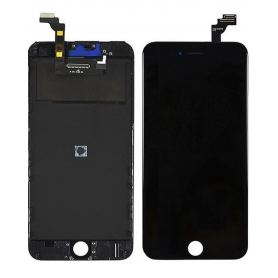
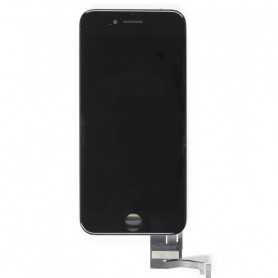
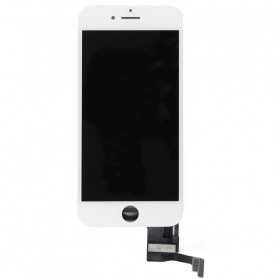
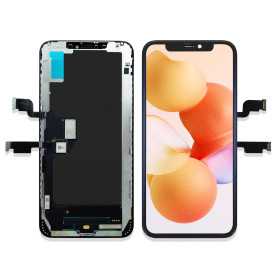
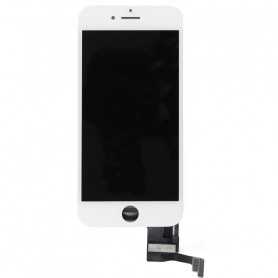
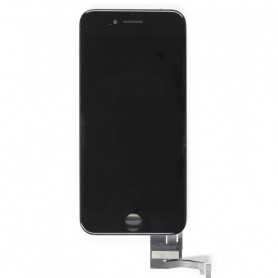
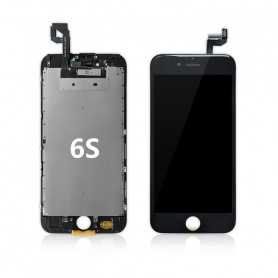
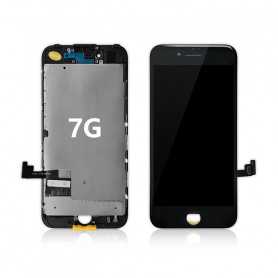
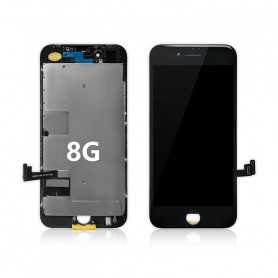
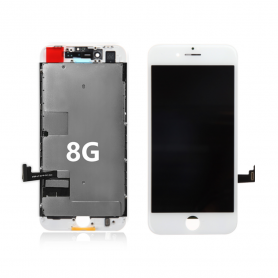
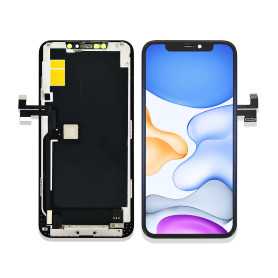
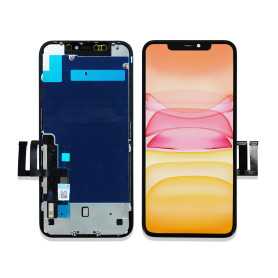
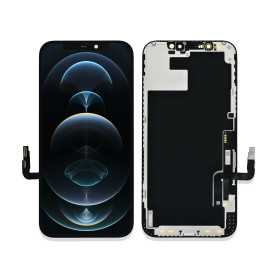
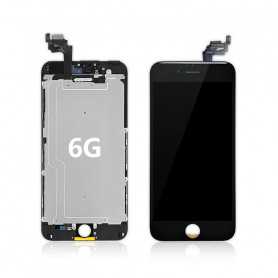
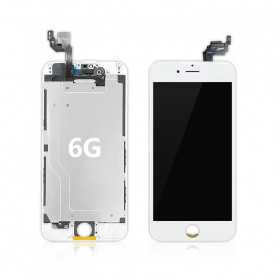
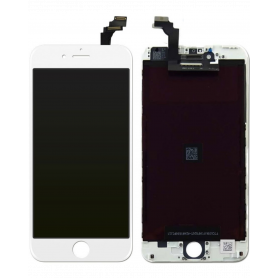
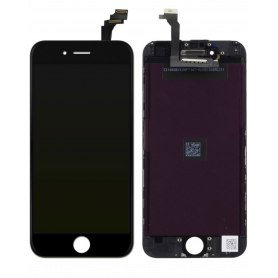
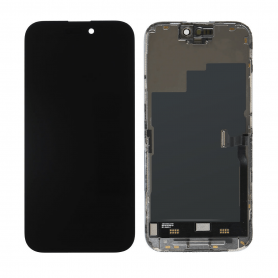
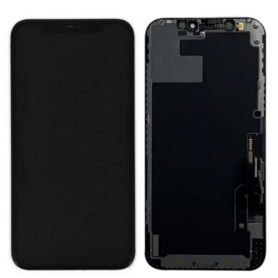
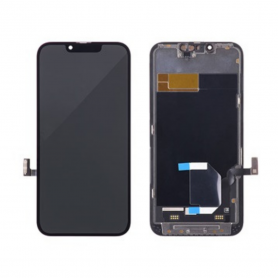
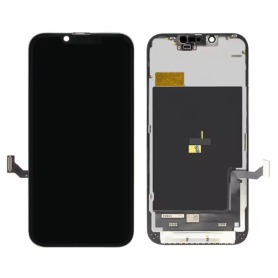
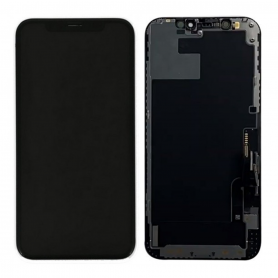
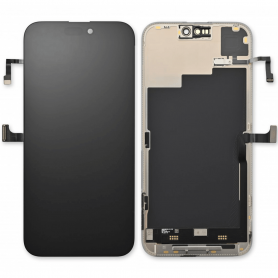
Display iPhone

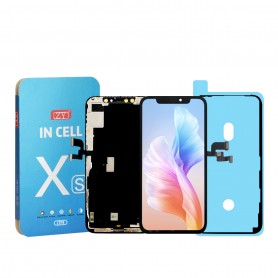
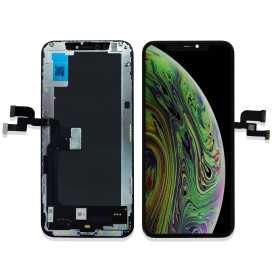
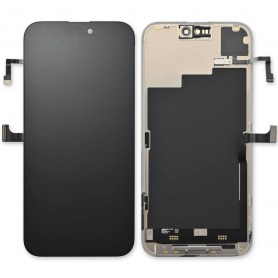
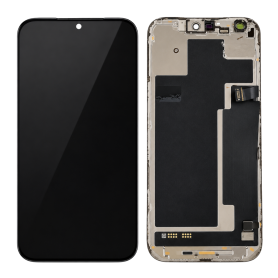
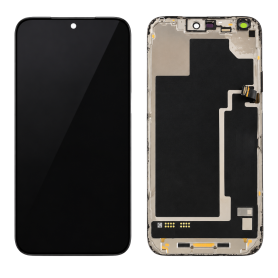
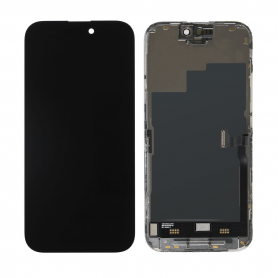
Screen iPhone XS (LTPS) ZY - COG - FHD1080p


Advantages
LTPS
TFT
OLED


Pixel resolution
FHD1080p Same as original
HD 720p
Same as original


Power consumption
10% power savings compared to TFT quality
Normal power consumption
20% power savings compared to TFT quality.


Response time
Fast response
Normal response
Response same as original


Image quality
High image quality with vivid colors.
Normal display
More vivid colors, perfect blacks.


Cost
Excellent quality and cost.
Best cost
Production cost steadily decreasing.


After-sales feedback
After-sales rate 0.1%
After-sales rate 0.3%
After-sales rate 0.2%


Phone thickness with screen (7.65 mm original)
7.75 mm
7.80 mm
7.65 mm


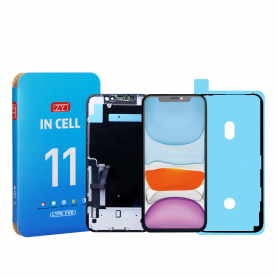
Screen iPhone 11 (LTPS) ZY - COG - Support IC Change - FHD1080p
Advantages LTPS TFT OLED Pixel resolution FHD1080p Same as original HD 720p Same as original Power consumption 10% power savings compared to TFT quality Normal power consumption 20% power savings compared to TFT quality. Response time Fast response Normal response Response same as original Image quality High image quality with vivid colors. Normal display More vivid colors, perfect blacks. Cost Excellent quality and cost. Best cost Production cost continuously decreasing. After-sales feedback After-sales rate 0.1% After-sales rate 0.3% After-sales rate 0.2% Phone thickness with screen (original 7.65 mm) 7.75 mm 7.80 mm 7.65 mm
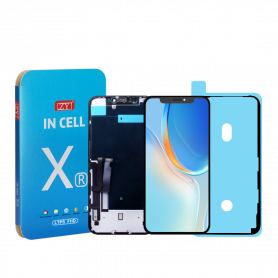
Screen iPhone XR (LTPS) ZY - COG - FHD1080p
Advantages LTPS TFT OLED Pixel resolution FHD1080p Same as original HD 720p Same as original Power consumption 10% power savings compared to TFT quality Normal power consumption 20% power savings compared to TFT quality. Response time Fast response Normal response Response same as original Image quality High image quality with vivid colors. Normal display More vivid colors, perfect blacks. Cost Excellent quality and cost. Best cost Steadily decreasing production cost. After-sales feedback After-sales service rate 0.1% After-sales service rate 0.3% After-sales service rate 0.2% Phone thickness with screen (7.65 mm original) 7.75 mm 7.80 mm 7.65 mm
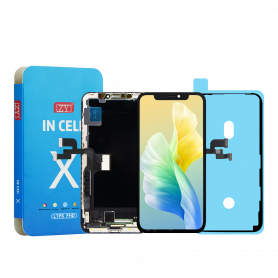
Screen iPhone X (LTPS) ZY INCELL - COG - FHD1080p


Advantages
LTPS
TFT
OLED


Pixel resolution
FHD1080p Same as original
HD 720p
Same as original


Power consumption
10% power savings compared to TFT quality
Normal power consumption
20% power savings compared to TFT quality.


Response time
Fast response
Normal response
Response same as original


Image quality
High image quality with vivid colors.
Normal display
More vivid colors, perfect blacks.


Cost
Excellent quality and cost.
Best cost
Production cost steadily decreasing.


After-sales feedback
After-sales rate 0.1%
After-sales rate 0.3%
After-sales rate 0.2%


Phone thickness with screen (7.65 mm original)
7.75 mm
7.80 mm
7.65 mm


Screen iPhone XS Max (In-cell) HD720p
Caution, this is not OLED, (In-cell) screens are revolutionary in that they combine a digitizer, use a touch input, and integrate an LCD screen into a single-layer screen. Some reports also suggest that screens with (In-cell) technology offer better resolution than standard LCD screens
Screen iPhone XR (In-cell) HD720p
(In-cell) screens are revolutionary in the sense that they combine a digitizer, use a touch input and integrate an LCD screen into a single-layer display. Some reports also suggest that (In-cell) technology screens offer better resolution compared to standard LCD screens
Screen iPhone XS (In-cell) HD720p
Please note this is not OLED, (In-cell) displays are revolutionary in the sense that they combine a digitizer, use a touch input, and integrate an LCD display into a single-layer screen. Some reports also suggest that (In-cell) technology displays offer better resolution compared to standard LCD displays
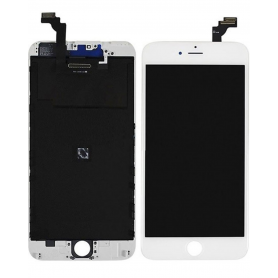
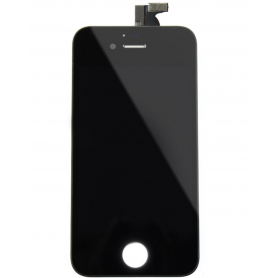
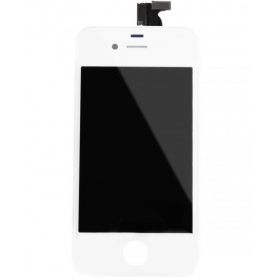
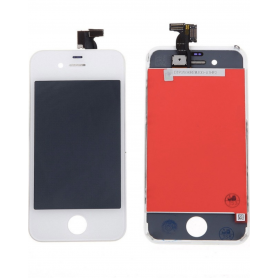
Screen iPhone 4S White (Original Refurbished)
Quality Apple replacement part. Complete screen for iPhone 4S Color: White. Model: iPhone 4S. Size 3.5 960 x 640 pixel resolution with an ultra-sensitive Multi-Touch touch for clear and precise navigation The Retina LCD screen pre-assembled to the touch glass on frame EAN: 6169957565070
NewOut-of-Stock
Screen iPhone 18 Pro Max (Original Disassembled) - Grade A
The Screen iPhone 18 Pro Max (Original Disassembled) - Grade A is a premium component designed for professional repairers and resellers seeking high-quality replacement parts. This screen offers exceptional display clarity and touch sensitivity, ensuring that the device maintains its original performance standards. As a Grade A component, it guarantees minimal signs of previous use, providing a near-new appearance and functionality.
This original disassembled screen is meticulously crafted to match the specifications of the iPhone 18 Pro Max, ensuring seamless integration with the device's hardware. It supports all display features, including high-resolution visuals and accurate color reproduction, essential for maintaining the device's premium user experience.
The screen is equipped with all necessary connectors and components, facilitating a smooth and efficient installation process for skilled professionals. Its robust construction ensures durability and longevity, making it a reliable choice for repair shops and resellers aiming to deliver top-notch service to their clients.
By choosing this original disassembled screen, professionals can ensure that their repairs meet the highest standards of quality and customer satisfaction.
NewOut-of-Stock
Screen iPhone 18 Pro (Original Disassembled) - Grade A
The Screen iPhone 18 Pro (Original Disassembled) - Grade A is a premium component designed specifically for professional repairers and resellers seeking high-quality replacement parts. This screen offers exceptional clarity and touch responsiveness, ensuring that the device maintains its original performance standards. As a Grade A component, it guarantees minimal to no signs of previous use, providing a pristine appearance and functionality.
This original disassembled screen is meticulously tested to meet rigorous quality standards, ensuring compatibility and reliability with the iPhone 18 Pro. It includes the original display assembly, which encompasses the OLED panel, digitizer, and necessary connectors, ensuring seamless integration with the device's existing hardware.
Professionals will appreciate the precision engineering of this component, which facilitates a smooth installation process when performed by skilled technicians. The screen's durability and adherence to original specifications make it an ideal choice for those prioritizing quality and customer satisfaction in their repair services.
Out-of-Stock
Screen iPhone 17 Air (Original Disassembled) - Grade A
Main Characteristics of the iPhone 17 Air Screen (Original Disassembled) - Grade A Original Quality: This screen for iPhone 17 Air is an original disassembled component, guaranteeing quality and performance standards identical to those of your original screen. Grade A: Classified as Grade A, this screen offers exceptional display clarity with no major defects, providing an optimal visual experience and precise touch interaction. Retina Display: Enjoy high resolution and vivid colors thanks to Retina technology. Ideal for gaming, video, and augmented reality applications. Sensitive Touch: Touch sensitivity remains unmatched, allowing smooth and responsive navigation, essential for frequent users and demanding applications. Compatibility: Designed specifically to fit perfectly into the iPhone 17 Air chassis, making installation easier and ensuring uncompromised compatibility. Durability: Manufactured according to original specifications, this screen ensures remarkable strength and longevity, effectively resisting scratches and daily impacts. Easy Installation: Compatible with standard iPhone repair tools, this part is ideal for both professional technicians and experienced enthusiasts looking to carry out a cost-effective repair. Eco-Friendly: By choosing a disassembled screen, you help reduce electronic waste, contributing to a more sustainable and environmentally friendly approach. With this iPhone 17 Air screen, bring your device back to life with a part that combines performance and aesthetics, while respecting the integrity of your smartphone.
Out-of-Stock
Screen iPhone 14 Pro Max with Proximity Sensor Flex (Original Refurbished) - Supporte Configuration

Use Repair Assistant to Finish an iPhone or iPad Repair

On an iPhone 12 or later running iOS 18, when a new Apple screen is installed, “Finish Repair” will appear next to Screen until you complete the repair using the Repair Assistant.


On an iPhone 12 or later running iOS 18, it is possible to reuse an original Apple screen on another iPhone of the same model.
The date of first use and the condition of the screen can be found in Settings > General > About > Parts & Service History.


How to Run Diagnostics & Finish Repair for iPhone Screen
1. Ensure your device is updated to iOS 18
2. Go to Settings > General > About > Parts & Service History
3. Tap "Restart & Finish Repair" to activate the Repair Assistant
4. Follow the on-screen instructions to complete the calibration
After completing this process, your screen will be fully functional, and there will be no pop-up warning about non-genuine parts.


Important Notes:

Your iPhone must be connected to Wi-Fi
Your battery level should be above 20%
If the process fails, restart your device and try again
If the repair is not completed, the screen may not function optimally, and some features (True Tone, Face ID) may be disabled until calibration is finalized


Out-of-Stock
Screen iPhone 17 (Original Disassembled) - Grade B
Key Features of Screen iPhone 17 (Original Disassembled) - Grade B


Original Quality: This screen is an authentic, original component from the iPhone 17, ensuring compatibility and performance that matches the original device specifications.


Grade B Condition: The screen is in Grade B condition, meaning it may have minor cosmetic imperfections such as slight scratches or scuffs, but it is fully functional and tested for optimal performance.


High-Resolution Display: Experience vibrant colors and sharp details with the iPhone 17's high-resolution display, designed to deliver an immersive viewing experience.


Touch Sensitivity: Enjoy precise and responsive touch sensitivity, ensuring smooth navigation and interaction with your device.


Easy Installation: The disassembled screen is designed for straightforward installation, making it a convenient option for repairs or replacements.


Cost-Effective Solution: Ideal for those seeking a budget-friendly repair option without compromising on quality, offering significant savings compared to purchasing a new device.


Eco-Friendly Choice: By opting for a disassembled original screen, you contribute to reducing electronic waste and promoting sustainable practices.


Warranty Included: Comes with a limited warranty, providing peace of mind and assurance of quality and reliability.

Out-of-Stock
Screen iPhone 15 Pro Max (Original Disassembled) - Grade A
Main Features of the iPhone 15 Pro Max Screen (Original Disassembled) - Grade A Discover the iPhone 15 Pro Max screen, a disassembled original part, classified Grade A to guarantee exceptional quality. This screen offers a Super Retina XDR resolution, ensuring vivid colors and impressive contrast for an unmatched visual experience. Designed to integrate perfectly with your device, it retains all touch functionalities and Face ID, providing optimal responsiveness and security. The Ceramic Shield glass enhances durability, resisting scratches and everyday impacts. Thanks to its perfect compatibility, installation is simplified, allowing for a quick and efficient refurbishment of your iPhone. Ideal for repairs, this screen retains your device's original water resistance when installed correctly. Choose this disassembled Grade A screen to restore the appearance and performance of your iPhone 15 Pro Max, while benefiting from exceptional image quality and long-term reliability.
Out-of-Stock
Screen iPhone 14 Pro Max (Original Disassembled) - Grade A
Key Features of Screen iPhone 14 Pro Max (Original Disassembled) - Grade A


Original Quality: This disassembled screen is sourced directly from OEM parts, ensuring original quality and performance consistent with iPhone 14 Pro Max standards.


Grade A Condition: Thoroughly tested and verified, this screen falls under Grade A classification, indicating it is free from any noticeable scratches, blemishes, or dead pixels, providing a pristine viewing experience.


Super Retina XDR Display: Boasts a high-resolution display of 2796 x 1290 pixels, offering stunning clarity, vibrant colors, and deep blacks for an immersive visual experience.


ProMotion Technology: Supports up to 120Hz refresh rate for ultra-smooth scrolling and seamless motion, enhancing interactivity and visual fluidity in gaming and media viewing.


True Tone & HDR: Features True Tone display technology and high dynamic range (HDR) capabilities, ensuring natural color accuracy and enhanced contrast in various lighting conditions.


Ceramic Shield: Equipped with a durable Ceramic Shield front cover, providing improved protection against scratches and minor impacts.


Comprehensive Compatibility: Designed specifically for iPhone 14 Pro Max, guaranteeing a perfect fit and full compatibility with its advanced features, including Face ID and ambient light sensors.


Easy Installation: Engineered for hassle-free installation by professionals, facilitating swift replacement to restore your device to its original state without compromising quality.


Perfect for those who demand top-tier quality and performance in their device repairs.
Out-of-Stock
Screen iPhone 16E /17E with Proximity Sensor Ribbon (Original Disassembled) - Grade A
Key Features of Screen iPhone 16E (Original Disassembled) - Grade A


Premium Quality: This iPhone 16E screen is an original disassembled component, graded A for its superior quality and performance, ensuring a flawless user experience akin to a brand-new device.


Perfect Compatibility: Specifically designed for the iPhone 16E, guaranteeing seamless integration with no modifications needed. It supports all functionalities of the device, including Face ID, True Tone, and Haptic Touch.


Vibrant Display: Experience striking color accuracy and brilliance with this screen’s true-to-life reproduction and excellent pixel density. It delivers sharp visuals, rich contrasts, and vivid colors, making your interactions more immersive.


Durability and Reliability: Engineered from high-grade materials, this screen is built to withstand daily wear and tear. The advanced design protects against scratches and minor impacts, extending the lifespan of the display.


Touch Sensitivity: Enjoy ultra-responsive touch performance with precision engineering that mimics the original tactile experience, enabling smooth navigation and quick responsiveness to touch gestures.


Easy Installation: Designed for easy and straightforward installation, making it a convenient replacement solution with minimal technical expertise required. Perfect for professional technicians and skilled DIY enthusiasts alike.


Cost-Effective Solution: An economical alternative to purchasing a new phone, providing an affordable path to restoring the visual and functional aspects of your device without compromising on quality.


Warranty and Support: Comes with a limited warranty and access to professional customer support, offering peace of mind and assistance should any issues arise during installation or use.


Upgrade your iPhone 16E’s display with this high-quality, original disassembled screen to restore the full splendor and functionality of your device with confidence.
Out-of-Stock
Screen iPhone 14 Pro Max (Original Disassembled) - Grade B
Key Features of Screen iPhone 14 Pro Max (Original Disassembled) - Grade B:


Original Quality: This screen is an authentic, original component from the iPhone 14 Pro Max, ensuring compatibility and performance that matches the original device specifications.


Grade B Condition: The screen is classified as Grade B, indicating it may have minor cosmetic imperfections such as small scratches or slight wear, but it remains fully functional and reliable.


OLED Display Technology: Experience vibrant colors, deep blacks, and excellent contrast with the OLED display technology, providing a premium visual experience.


Super Retina XDR Display: Enjoy a high-resolution display with sharp, detailed images and text, perfect for media consumption and everyday use.


Face ID Compatible: Maintains full compatibility with Face ID technology, ensuring secure and convenient access to your device.


True Tone and Haptic Touch: Supports True Tone for adaptive color balance and Haptic Touch for responsive feedback, enhancing user interaction.


Easy Installation: Designed for straightforward installation by professionals, making it a practical choice for repairs and replacements.


Cost-Effective Solution: Ideal for those seeking a budget-friendly option to restore their device's display functionality without compromising on quality.


This product is perfect for users looking to replace their iPhone 14 Pro Max screen while maintaining original performance and features.
Out-of-Stock
Screen iPhone 14 Pro Max with Proximity Sensor Ribbon (Original Disassembled) - Grade B
Key Features of the Screen iPhone 14 Pro Max with Proximity Sensor Flex (Original Disassembled) - Grade A


Premium Quality Display: Experience unparalleled clarity and vibrant visuals with the original disassembled screen, designed specifically for the iPhone 14 Pro Max. The Grade A quality promises a smooth touch experience and superior color accuracy.


Integrated Proximity Sensor Flex: Enhance functionality with the built-in proximity sensor flex, ensuring seamless communication between your device and its surroundings. Enjoy precise response during calls, conserving both battery life and screen usability with automatic dimming.


Flawless Compatibility: Tailored for the iPhone 14 Pro Max, this screen guarantees a perfect fit, preserving the sleek design and integrity of your device. Installation is simplified, offering an OEM-standard replacement that maintains the original aesthetic.


Durable Construction: Built to withstand everyday wear and tear, this screen is crafted from high-quality materials ensuring longevity. The robust design resists scratches and minor impacts, protecting your investment.


Easy Installation: Featuring a straightforward setup, the installation process is user-friendly, minimizing downtime and getting your device back to its optimal state quickly without compromising performance.


Cost-Effective Solution: Opt for this Grade A original disassembled screen for a budget-friendly solution that maintains the high standards of Apple technology, providing maximum value for your investment.

Out-of-Stock
Screen iPhone 13 mini (Original Disassembled) - Grade A
Key Features of the Screen iPhone 13 mini (Original Disassembled) - Grade A:


Authentic Quality: Sourced directly from disassembled original iPhones, this screen ensures a perfect fit and authentic Apple display quality for your iPhone 13 mini.


Grade A Condition: Meticulously inspected and classified as Grade A, guaranteeing minimal signs of wear, no scratches or dead pixels, providing a like-new visual experience.


Vibrant Display: Retains the iPhone 13 mini's original Super Retina XDR display, offering stunning colors, deep blacks, and a high resolution for an immersive viewing experience.


True Tone & Haptic Feedback: Supports True Tone technology and haptic feedback, maintaining the display's natural color balance and tactile precision as intended by Apple.


Easy Installation: Designed for straightforward installation with compatible tools, making it convenient for both professional technicians and DIY enthusiasts.


Compatibility: Exclusively compatible with the iPhone 13 mini model, ensuring all features work seamlessly post-installation.


Cost-Effective Solution: Offers a more affordable option compared to buying a brand-new screen, while maintaining original performance standards.


Upgrade your device with confidence, preserving its original look and functionality.
Out-of-Stock
iPhone 15 Plus Screen (Original Disassembled) - Grade B
Key Features of iPhone 15 Plus Screen (Original Disassembled) - Grade B


Original Quality: This iPhone 15 Plus screen is an original component, offering the same quality and performance specs as the factory-installed screens. Enjoy the vivid colors, sharp resolution, and responsive touch sensitivity that Apple users expect.


Grade B Condition: This screen is classified as Grade B, indicating it has been disassembled and might show minor signs of previous use, such as light scratches or markings. However, it remains fully functional and structurally sound, offering exceptional value for repairs.


Perfect Compatibility: Specifically designed for the iPhone 15 Plus model, ensuring perfect compatibility with all hardware and software features. This means a seamless installation without the need for additional adjustments or components.


High-Resolution Display: Retains the high-resolution Retina display capabilities that deliver crisp visuals and vibrant color reproduction, ideal for both everyday use and media viewing.


Sensitive Touch Response: Maintains the original touch screen sensitivity, providing a smooth and responsive user experience for all gestures and taps.


Facilitates Accurate Repairs: Ideal for professional repairs and skilled DIY projects, this disassembled screen enables precise maintenance and replacement, ensuring your device functions like new.


Eco-Friendly Option: Choosing a disassembled screen contributes to reducing electronic waste, promoting sustainable practices by extending the life of your device.

Out-of-Stock
Screen iPhone 13 mini with Proximity Sensor Flex (Original Refurbished) - Supports Configuration

Use Repair Assistant to Finish an iPhone or iPad Repair

On an iPhone 12 or later running iOS 18, when a new Apple screen is installed, “Finish Repair” will appear next to Screen until you complete the repair using the Repair Assistant.


On an iPhone 12 or later running iOS 18, it is possible to reuse an original Apple screen on another iPhone of the same model.
The date of first use and the condition of the screen can be found in Settings > General > About > Parts & Service History.


How to Run Diagnostics & Finish Repair for iPhone Screen
1. Ensure your device is updated to iOS 18
2. Go to Settings > General > About > Parts & Service History
3. Tap "Restart & Finish Repair" to activate the Repair Assistant
4. Follow the on-screen instructions to complete the calibration
After completing this process, your screen will be fully functional, and there will be no pop-up warning about non-genuine parts.


Important Notes:

Your iPhone must be connected to Wi-Fi
Your battery level should be above 20%
If the process fails, restart your device and try again
If the repair is not completed, the screen may not function optimally, and some features (True Tone, Face ID) may be disabled until calibration is finalized


Out-of-Stock
Screen iPhone 16E /17E (Original Disassembled) - Grade A
Key Features of Screen iPhone 16E (Original Disassembled) - Grade A


Premium Quality: This iPhone 16E screen is an original disassembled component, graded A for its superior quality and performance, ensuring a flawless user experience akin to a brand-new device.


Perfect Compatibility: Specifically designed for the iPhone 16E, guaranteeing seamless integration with no modifications needed. It supports all functionalities of the device, including Face ID, True Tone, and Haptic Touch.


Vibrant Display: Experience striking color accuracy and brilliance with this screen’s true-to-life reproduction and excellent pixel density. It delivers sharp visuals, rich contrasts, and vivid colors, making your interactions more immersive.


Durability and Reliability: Engineered from high-grade materials, this screen is built to withstand daily wear and tear. The advanced design protects against scratches and minor impacts, extending the lifespan of the display.


Touch Sensitivity: Enjoy ultra-responsive touch performance with precision engineering that mimics the original tactile experience, enabling smooth navigation and quick responsiveness to touch gestures.


Easy Installation: Designed for easy and straightforward installation, making it a convenient replacement solution with minimal technical expertise required. Perfect for professional technicians and skilled DIY enthusiasts alike.


Cost-Effective Solution: An economical alternative to purchasing a new phone, providing an affordable path to restoring the visual and functional aspects of your device without compromising on quality.


Warranty and Support: Comes with a limited warranty and access to professional customer support, offering peace of mind and assistance should any issues arise during installation or use.


Upgrade your iPhone 16E’s display with this high-quality, original disassembled screen to restore the full splendor and functionality of your device with confidence.
Out-of-Stock
Screen iPhone Xs Max (Original Disassembled) - Grade A
Key Features of Screen iPhone Xs Max (Original Disassembled) - Grade A


Genuine Quality Display: This screen is sourced from original iPhone Xs Max units, ensuring authentic Apple display quality with vibrant colors, crisp text, and true-to-life visuals.


Grade A Condition: Meticulously inspected to meet high-grade standards, the screen is free from scratches and blemishes, offering a pristine and unblemished appearance.


Super Retina OLED Technology: Enjoy the remarkable Super Retina OLED display technology, delivering deep blacks, high contrast ratios, and excellent color accuracy for an immersive viewing experience.


Touch Sensitivity: Maintains original touch responsiveness and fluid interaction, allowing for precise control and effortless navigation through apps and menus.


True Tone and HDR Support: Supports True Tone technology to automatically adjust white balance for a natural viewing experience, and HDR for enhanced video playback.


Easy Installation: Designed for convenient replacement, the screen comes with necessary installation tools and instructions, making it suitable for DIY enthusiasts or professional technicians.


Face ID Compatible: Fully compatible with Face ID sensors for seamless biometric authentication, ensuring continued use of your device's security features.


Cost-Effective Solution: An ideal solution for restoring your iPhone Xs Max to its original splendor without the high cost of a brand new phone.

Out-of-Stock
Screen iPhone 16E/17E (Original Disassembled) - Grade B
Key Features of Screen iPhone 16E (Original Disassembled) - Grade B


Original Part: The Screen iPhone 16E is sourced from the original iPhone 16E units, ensuring compatibility and authenticity for reliable performance and seamless integration with your device.


Grade B Quality: This screen is classified as Grade B, which means it may have minor cosmetic imperfections such as slight scratches or marks. However, it retains full functionality and displays vibrant colors with clear visibility.


Retina Display: Experience brilliant visuals with this Retina display, which offers precise color accuracy, sharp resolution, and true-tone technology to adapt display settings according to the ambient lighting.


Touch Sensitivity: Enjoy responsive and smooth touch functionality, ensuring an intuitive interaction whether you're typing, gaming, or browsing.


Frame Included: The screen comes with a pre-attached frame, simplifying the installation process and securing a firm fit onto your iPhone 16E, saving time and reducing the hassle of assembly.


Oleophobic Coating: Equipped with an oleophobic coating, this screen resists fingerprints and smudges, helping maintain a clean and sleek appearance.


Cost-Effective Solution: Ideal for customers seeking a workable balance between cost and performance, this Grade B screen offers an economical option without compromising critical functionalities.


Warranty: Backed by a limited warranty, providing assurance in quality and support for post-purchase peace of mind.


Environmentally Friendly: Utilizing original disassembled parts supports sustainable practices by conserving resources and reducing electronic waste.

Out-of-Stock
Screen iPhone 15 Pro (Hard OLED) ZY - Support IC Change
Key Features of the Screen for iPhone 15 Pro (OLED) ZY


Advanced OLED Display Technology: The iPhone 15 Pro screen utilizes state-of-the-art OLED technology, delivering vivid colors, deep blacks, and excellent contrast ratios. It offers an immersive visual experience that enhances everything from gaming to movie watching.


Super Retina XDR: This display includes Super Retina XDR, providing a high dynamic range with impeccable brightness and clarity. It's perfect for viewing HDR photos and videos, ensuring every detail is captured and enhanced.


ProMotion Adaptive Refresh Rate: Featuring Apple's innovative ProMotion technology, the screen offers an adaptive refresh rate of up to 120Hz. This ensures smooth scrolling, responsive touch input, and a seamless user interface, adapting in real-time to different use scenarios.


High Resolution and Pixel Density: With a high resolution, the iPhone 15 Pro screen ensures pixel-perfect clarity, making text crisper and images more lifelike. The high pixel density allows for more details and sharp visuals.


Durable Ceramic Shield: Protected by a ceramic shield front cover, this screen is tougher than any other smartphone glass, providing excellent drop resistance and durability for everyday use.


True Tone Technology: The screen is equipped with True Tone technology, which automatically adjusts the white balance to match the light around you for a more natural viewing experience, reducing eye strain in various environments.


Wide Color (P3): Enjoy a broad spectrum of colors with the P3 wide color gamut, ensuring vibrant and true-to-life colors for all media and imaging needs.


Haptic Touch: The inclusion of Haptic Touch offers precise tactile feedback and allows for quick access to essential functions, enhancing the overall interaction with the device.


These features combine to make the Screen for iPhone 15 Pro (OLED) ZY a leading choice for users seeking a premium, high-performance display.
Out-of-Stock
Screen iPhone 14 with Proximity Sensor Flex (Original Refurbished) - Supports Configuration

Use Repair Assistant to Finish an iPhone or iPad Repair

On an iPhone 12 or later running iOS 18, when a new Apple screen is installed, “Finish Repair” will appear next to Screen until you complete the repair using the Repair Assistant.


On an iPhone 12 or later running iOS 18, it is possible to reuse an original Apple screen on another iPhone of the same model.
The date of first use and the condition of the screen can be found in Settings > General > About > Parts & Service History.


How to Run Diagnostics & Finish Repair for iPhone Screen
1. Ensure your device is updated to iOS 18
2. Go to Settings > General > About > Parts & Service History
3. Tap "Restart & Finish Repair" to activate the Repair Assistant
4. Follow the on-screen instructions to complete the calibration
After completing this process, your screen will be fully functional, and there will be no pop-up warning about non-genuine parts.


Important Notes:

Your iPhone must be connected to Wi-Fi
Your battery level should be above 20%
If the process fails, restart your device and try again
If the repair is not completed, the screen may not function optimally, and some features (True Tone, Face ID) may be disabled until calibration is finalized


Out-of-Stock
Screen iPhone 12 mini with Proximity Sensor Flex (Original Refurbished) - Supports Configuration

Use Repair Assistant to Finish an iPhone or iPad Repair

On an iPhone 12 or later running iOS 18, when a new Apple screen is installed, “Finish Repair” will appear next to Screen until you complete the repair using the Repair Assistant.


On an iPhone 12 or later running iOS 18, it is possible to reuse an original Apple screen on another iPhone of the same model.
The date of first use and the condition of the screen can be found in Settings > General > About > Parts & Service History.


How to Run Diagnostics & Finish Repair for iPhone Screen
1. Ensure your device is updated to iOS 18
2. Go to Settings > General > About > Parts & Service History
3. Tap "Restart & Finish Repair" to activate the Repair Assistant
4. Follow the on-screen instructions to complete the calibration
After completing this process, your screen will be fully functional, and there will be no pop-up warning about non-genuine parts.


Important Notes:

Your iPhone must be connected to Wi-Fi
Your battery level should be above 20%
If the process fails, restart your device and try again
If the repair is not completed, the screen may not function optimally, and some features (True Tone, Face ID) may be disabled until calibration is finalized


Out-of-Stock
Screen iPhone 16 Pro Max (SOFT OLED) ZY - 120Hz - Diagnosable

Use Repair Assistant to Finish an iPhone or iPad Repair

On an iPhone 12 or later running iOS 18, when a new Apple screen is installed,“Finish Repair” will appear next to Screen until you complete the repair using the Repair Assistant.


On an iPhone 12 or later running iOS 18, it is possible to reuse an original Apple screen on another iPhone of the same model.
The date of first use and the condition of the screen can be found in Settings > General > About > Parts & Service History.


How to Run Diagnostics & Finish Repair for iPhone Screen
1. Ensure your device is updated to iOS 18
2. Go to Settings > General > About > Parts & Service History
3. Tap "Restart & Finish Repair" to activate the Repair Assistant
4. Follow the on-screen instructions to complete the calibration
After completing this process, your screen will be fully functional, and there will be no pop-up warning about non-genuine parts.


Important Notes:

Your iPhone must be connected to Wi-Fi
Your battery level should be above 20%
If the process fails, restart your device and try again
If the repair is not completed, the screen may not function optimally, and some features (True Tone, Face ID) may be disabled until calibration is finalized


Out-of-Stock
Screen iPhone 16 Pro Max (Soft OLED) KELAI - Diagnostic

Use Repair Assistant to Finish an iPhone or iPad Repair

On an iPhone 12 or later running iOS 18, when a new Apple screen is installed,“Finish Repair” will appear next to Screen until you complete the repair using the Repair Assistant.


On an iPhone 12 or later running iOS 18, it is possible to reuse an original Apple screen on another iPhone of the same model.
The date of first use and the condition of the screen can be found in Settings > General > About > Parts & Service History.


How to Run Diagnostics & Finish Repair for iPhone Screen
1. Ensure your device is updated to iOS 18
2. Go to Settings > General > About > Parts & Service History
3. Tap "Restart & Finish Repair" to activate the Repair Assistant
4. Follow the on-screen instructions to complete the calibration
After completing this process, your screen will be fully functional, and there will be no pop-up warning about non-genuine parts.


Important Notes:

Your iPhone must be connected to Wi-Fi
Your battery level should be above 20%
If the process fails, restart your device and try again
If the repair is not completed, the screen may not function optimally, and some features (True Tone, Face ID) may be disabled until calibration is finalized


NewOut-of-Stock
Screen iPhone 17 Pro (OEM) Hard Oled - Diagnosable - No Pop-up - 120Hz

Use Repair Assistant to Finish an iPhone or iPad Repair

On an iPhone 12 or later running iOS 18, when a new Apple screen is installed,“Finish Repair” will appear next to Screen until you complete the repair using the Repair Assistant.


On an iPhone 12 or later running iOS 18, it is possible to reuse an original Apple screen on another iPhone of the same model.
The date of first use and the condition of the screen can be found in Settings > General > About > Parts & Service History.


How to Run Diagnostics & Finish Repair for iPhone Screen
1. Ensure your device is updated to iOS 18
2. Go to Settings > General > About > Parts & Service History
3. Tap "Restart & Finish Repair" to activate the Repair Assistant
4. Follow the on-screen instructions to complete the calibration
After completing this process, your screen will be fully functional, and there will be no pop-up warning about non-genuine parts.


Important Notes:

Your iPhone must be connected to Wi-Fi
Your battery level should be above 20%
If the process fails, restart your device and try again
If the repair is not completed, the screen may not function optimally, and some features (True Tone, Face ID) may be disabled until calibration is finalized


Out-of-Stock
Screen iPhone 16 Pro Max (Hard OLED) ZY - Support IC Change
Key Features of Screen iPhone 16 Pro Max (OLED) ZY


Cutting-Edge OLED Technology: Immerse yourself in vibrant visuals with the iPhone 16 Pro Max ZY screen, boasting advanced OLED technology. Experience unparalleled color accuracy, higher brightness, and true blacks, making every image and video come alive with stunning detail.


Super Retina XDR Display: Enjoy a seamless viewing experience with the expansive Super Retina XDR display, offering an impressive resolution that enhances sharpness and clarity. Whether you're streaming videos or capturing memories, see everything in extraordinary detail.


Enhanced Durability: Designed to withstand daily use, the ZY screen is fortified with advanced materials that provide superior resistance to scratches, impacts, and accidental drops. This screen maintains its pristine condition longer, ensuring your device looks fresh and vibrant.


Elevate your digital experience with the Screen iPhone 16 Pro Max (OLED) ZY and indulge in cutting-edge technology that combines beauty, durability, and performance.
Out-of-Stock
Screen iPhone 17 (Hard OLED) ZY - Support IC Change - 120Hz
Key features of Screen iPhone 17 (Hard OLED) ZY - Support IC Change - 120Hz

Hard OLED technology: vivid colors, deep blacks and precise display quality.
120Hz refresh rate: smoother navigation and animations.
IC Change support: designed for compatible repair operations.
Compatibility: made for iPhone 17.
ZY quality: a reliable solution for professional repair technicians.
Out-of-Stock
Screen iPhone 12 mini (Original Disassembled) - Grade A
Key Features of Screen iPhone 12 Mini (Original Disassembled) - Grade A


Original Quality: This screen is an original and disassembled part, ensuring it meets the same quality and performance standards as the original iPhone 12 mini display.


Grade A Condition: Rated as Grade A, the screen is free of imperfections, offering a pristine appearance without noticeable scratches or blemishes.


Super Retina XDR Display: Delivers a stunning visual experience with a 5.4-inch OLED panel, providing vivid colors, deep blacks, and excellent contrast for true-to-life imagery.


Full Compatibility: Designed exclusively for the iPhone 12 mini, ensuring perfect fit and function with existing hardware and components.


Comprehensive Color Accuracy: Offers exceptional color accuracy and calibration, maintaining the intended look and feel of the device’s display.


Touch Sensitivity: Retains original touch responsivity, ensuring smooth and accurate interaction, ideal for gaming, typing, and swift navigation.


Durability: Built to withstand daily wear and tear, maintaining strength and resilience, similar to an out-of-the-box iPhone screen.


Easy Installation: Although professional installation is recommended, the screen is designed to facilitate a straightforward replacement process.


Customer Satisfaction: Backed by a customer satisfaction guarantee to ensure peace of mind and reliable performance.

Out-of-Stock
Screen iPhone 14 Pro Max (LTPS) JCID - Incell FHD1080p - Diagnosable - No Pop-up

Use Repair Assistant to Finish an iPhone or iPad Repair

On an iPhone 12 or later running iOS 18, when a new Apple screen is installed, “Finish Repair” will appear next to Screen until you complete the repair using the Repair Assistant.


On an iPhone 12 or later running iOS 18, it is possible to reuse an original Apple screen on another iPhone of the same model.
The date of first use and the condition of the screen can be found in Settings > General > About > Parts & Service History.


How to Run Diagnostics & Finish Repair for iPhone Screen
1. Ensure your device is updated to iOS 18
2. Go to Settings > General > About > Parts & Service History
3. Tap "Restart & Finish Repair" to activate the Repair Assistant
4. Follow the on-screen instructions to complete the calibration
After completing this process, your screen will be fully functional, and there will be no pop-up warning about non-genuine parts.


Important Notes:

Your iPhone must be connected to Wi-Fi
Your battery level should be above 20%
If the process fails, restart your device and try again
If the repair is not completed, the screen may not function optimally, and some features (True Tone, Face ID) may be disabled until calibration is finalized


Out-of-Stock
Screen iPhone 16 (OLED) ZY - Diagnosable

Use Repair Assistant to Finish an iPhone or iPad Repair

On an iPhone 12 or later running iOS 18, when a new Apple screen is installed,“Finish Repair” will appear next to Screen until you complete the repair using the Repair Assistant.


On an iPhone 12 or later running iOS 18, it is possible to reuse an original Apple screen on another iPhone of the same model.
The date of first use and the condition of the screen can be found in Settings > General > About > Parts & Service History.


How to Run Diagnostics & Finish Repair for iPhone Screen
1. Ensure your device is updated to iOS 18
2. Go to Settings > General > About > Parts & Service History
3. Tap "Restart & Finish Repair" to activate the Repair Assistant
4. Follow the on-screen instructions to complete the calibration
After completing this process, your screen will be fully functional, and there will be no pop-up warning about non-genuine parts.


Important Notes:

Your iPhone must be connected to Wi-Fi
Your battery level should be above 20%
If the process fails, restart your device and try again
If the repair is not completed, the screen may not function optimally, and some features (True Tone, Face ID) may be disabled until calibration is finalized


Out-of-Stock
Screen iPhone 15 Pro (OLED) ZY - 120Hz - Diagnosable

Use Repair Assistant to Finish an iPhone or iPad Repair

On an iPhone 12 or later running iOS 18, when a new Apple screen is installed,“Finish Repair” will appear next to Screen until you complete the repair using the Repair Assistant.


On an iPhone 12 or later running iOS 18, it is possible to reuse an original Apple screen on another iPhone of the same model.
The date of first use and the condition of the screen can be found in Settings > General > About > Parts & Service History.


How to Run Diagnostics & Finish Repair for iPhone Screen
1. Ensure your device is updated to iOS 18
2. Go to Settings > General > About > Parts & Service History
3. Tap "Restart & Finish Repair" to activate the Repair Assistant
4. Follow the on-screen instructions to complete the calibration
After completing this process, your screen will be fully functional, and there will be no pop-up warning about non-genuine parts.


Important Notes:

Your iPhone must be connected to Wi-Fi
Your battery level should be above 20%
If the process fails, restart your device and try again
If the repair is not completed, the screen may not function optimally, and some features (True Tone, Face ID) may be disabled until calibration is finalized


Out-of-Stock
Screen iPhone 14 Pro (OLED) ZY - 120Hz - Diagnosable

Use Repair Assistant to Finish an iPhone or iPad Repair

On an iPhone 12 or later running iOS 18, when a new Apple screen is installed,“Finish Repair” will appear next to Screen until you complete the repair using the Repair Assistant.


On an iPhone 12 or later running iOS 18, it is possible to reuse an original Apple screen on another iPhone of the same model.
The date of first use and the condition of the screen can be found in Settings > General > About > Parts & Service History.


How to Run Diagnostics & Finish Repair for iPhone Screen
1. Ensure your device is updated to iOS 18
2. Go to Settings > General > About > Parts & Service History
3. Tap "Restart & Finish Repair" to activate the Repair Assistant
4. Follow the on-screen instructions to complete the calibration
After completing this process, your screen will be fully functional, and there will be no pop-up warning about non-genuine parts.


Important Notes:

Your iPhone must be connected to Wi-Fi
Your battery level should be above 20%
If the process fails, restart your device and try again
If the repair is not completed, the screen may not function optimally, and some features (True Tone, Face ID) may be disabled until calibration is finalized


Out-of-Stock
Screen iPhone 16 Pro (Hard OLED) ZY - Support IC Change
Key Features of Screen iPhone 16 Pro (OLED) ZY


Advanced OLED Technology: Experience vibrant and true-to-life colors with the sophisticated OLED display that delivers superior contrast, deep blacks, and high brightness levels, ensuring a stunning visual experience in any lighting condition.


ProMotion Technology: With a 120Hz refresh rate, the Screen iPhone 16 Pro (OLED) ZY offers ultra-smooth scrolling and improved responsiveness for gaming, video playback, and everyday use, enhancing your overall interaction with your device.


HDR10 and Dolby Vision Support: Enjoy cinematic visuals with HDR10 and Dolby Vision support, enabling richer detail, greater depth, and a wider color gamut for an immersive viewing experience that brings content to life.


Ceramic Shield Front Cover: The industry's toughest glass provides unparalleled durability and scratch resistance, protecting the screen from daily wear and accidental drops while maintaining optical clarity.


True Tone and Wide Color (P3): Automatically adjusts white balance to suit the surrounding light for a more natural viewing experience, while the Wide Color gamut ensures vivid, true-to-reality hues.


Dynamic Island Feature: Innovative use of space with the Dynamic Island, offering a seamless, interactive way to access notifications, widgets, and more without interrupting your current task.


Superior Resolution and Brightness: Enjoy crisp clarity with a resolution of 2778 x 1284 pixels and peak brightness of up to 1600 nits, offering unmatched visibility even in direct sunlight.


Energy Efficient: Enhanced energy efficiency optimizes battery consumption to ensure that the display’s high-performance capabilities are in tandem with prolonged battery life.


These advanced features combine to provide an extraordinary user experience, setting a new standard for smartphone displays.
Out-of-Stock
Screen iPhone 15 Pro Max (Soft OLED) - Support IC Change- 120Hz
Main Features of the iPhone 15 Pro Max Screen (Soft OLED) - IC Change Support - 120Hz Give your iPhone 15 Pro Max a new life with this high-quality Soft OLED replacement screen, specially designed to ensure optimal performance and an unmatched user experience. Enjoy exceptional resolution with vibrant color reproduction and deep blacks, thanks to advanced OLED technology. The 120Hz refresh rate guarantees impressive smoothness for all your touch interactions, offering seamless navigation and ultra-smooth transitions. This model features the IC Change Support function, allowing extended compatibility and unmatched ease of installation. With precise adaptability, this screen fits perfectly on your iPhone 15 Pro Max, maintaining its clean design and original aesthetic. The Soft OLED screen combines durability and performance, ensuring increased resistance to scratches and daily wear, while preserving exceptional visual clarity. Ideal for multimedia enthusiasts, gamers, and anyone who demands the best from their device. Experience perfect touch responsiveness and image sharpness that turns every use into a visual pleasure. Upgrade your user experience today with this premium replacement screen.
Out-of-Stock
Screen iPhone 17 Pro (Hard Oled) DD - IC - 120hz - Original Size / Thickness
Key Features of Screen iPhone 17 Pro (Hard OLED) DD - IC - 120Hz - Original Size / Thickness:


Hard OLED Technology: Experience stunning visuals with vibrant colors and deep contrasts, offering an immersive viewing experience perfect for multimedia and gaming.


Dynamic Display Integration (DD): Features state-of-the-art display integration for seamless performance and enhanced touch responsiveness, ensuring a fluid user interaction with your device.


Integrated Circuit (IC) Advancements: Enhanced with the latest IC technology for improved power efficiency and display processing, ensuring longevity and consistent performance.


120Hz Refresh Rate: Enjoy ultra-smooth scrolling and responsive touch with a high refresh rate of 120Hz, delivering sharp and fluid motion ideal for fast-paced content.


Original Size and Thickness: Meticulously crafted to match the original dimensions of the iPhone 17 Pro, guaranteeing a perfect fit without compromising on design or functionality.


Precision Engineering: Engineered for durability and reliability, maintaining excellent clarity and touch sensitivity to keep your device looking and functioning like new.


This screen replacement is designed for users seeking the highest quality, maintaining the original performance and aesthetic of their devices.
Out-of-Stock
Screen iPhone 13 Pro (OLED) ZY - 90Hz - Support IC Change
Advantages LTPS TFT OLED Pixel resolution FHD1080p Same as the original HD 720p Same as the original Power consumption 10 % power savings compared to TFT quality Normal power consumption 20 % power savings compared to TFT quality. Response time Fast response Normal response Response same as the original Image quality High image quality with vivid colors. Normal display More vivid colors, perfect blacks. Cost Excellent quality and cost. Best cost Production cost in constant decline. After-sales comments After-sales service rate 0.1 % After-sales service rate 0.3 % After-sales service rate 0.2 % Phone thickness with screen (7.65 mm original) 7.75 mm 7.80 mm 7.65 mm
Out-of-Stock
Screen iPhone 17 Pro (Hard OLED) ZY - Support IC Change - 120Hz
Key features of Screen iPhone 17 Pro (Hard OLED) ZY - Support IC Change - 120Hz

Hard OLED technology: vivid colors, deep blacks and precise display quality.
120Hz refresh rate: smoother navigation and animations.
IC Change support: designed for compatible repair operations.
Compatibility: made for iPhone 17 Pro.
ZY quality: a reliable solution for professional repair technicians.
Out-of-Stock
Screen iPhone 11 Pro Max (Original Disassembled) - Grade B
Key Features of Screen iPhone 11 Pro Max (Original Disassembled) - Grade B:


Original Quality: Sourced from authentic Apple components, ensuring compatibility and performance similar to the factory-installed screen.


Grade B Condition: Exhibits minor cosmetic imperfections such as small scratches or scuffs, but fully functional with no impact on display performance or touch responsiveness.


Super Retina XDR Display: Equipped with OLED technology for vibrant colors, deep blacks, and an impressive resolution of 2688 x 1242 pixels, delivering a stunning visual experience.


True Tone & Haptic Touch Compatible: Maintains original True Tone display capability for optimal color accuracy and environment adaptation, along with seamless Haptic Touch functionality for intuitive feedback.


Face ID Support: Preserves essential Face ID components to ensure continued biometric security and convenience.


Size & Fit: Specifically designed for the iPhone 11 Pro Max, featuring a perfect fit to ensure easy installation and a seamless look.


Professional Installation Recommended: While the screen is ready for installation, professional service is advised to avoid potential damage and ensure correct installation.


Cost-Effective Repair Solution: Offers an economical way to rejuvenate your device without compromising on quality, prolonging its lifecycle and maintaining its premium feel.

Out-of-Stock
Screen iPhone 13 Pro Max (LTPS) JCID - Incell FHD1080p - Diagnosable - No Pop-up

Use Repair Assistant to Finish an iPhone or iPad Repair

On an iPhone 12 or later running iOS 18, when a new Apple screen is installed, “Finish Repair” will appear next to Screen until you complete the repair using the Repair Assistant


On an iPhone 12 or later running iOS 18, it is possible to reuse an original Apple screen on another iPhone of the same model.
The date of first use and the condition of the screen can be found in Settings > General > About > Parts & Service History.


How to Run Diagnostics & Finish Repair for iPhone Screen
1. Ensure your device is updated to iOS 18
2. Go to Settings > General > About > Parts & Service History
3. Tap "Restart & Finish Repair" to activate the Repair Assistant
4. Follow the on-screen instructions to complete the calibration
After completing this process, your screen will be fully functional, and there will be no pop-up warning about non-genuine parts.


Important Notes:

Your iPhone must be connected to Wi-Fi
Your battery level should be above 20%
If the process fails, restart your device and try again
If the repair is not completed, the screen may not function optimally, and some features (True Tone, Face ID) may be disabled until calibration is finalized


Out-of-Stock
Screen iPhone 16 Pro (OLED) ZY - 120Hz - Diagnosable

Use Repair Assistant to Finish an iPhone or iPad Repair

On an iPhone 12 or later running iOS 18, when a new Apple screen is installed,“Finish Repair” will appear next to Screen until you complete the repair using the Repair Assistant.


On an iPhone 12 or later running iOS 18, it is possible to reuse an original Apple screen on another iPhone of the same model.
The date of first use and the condition of the screen can be found in Settings > General > About > Parts & Service History.


How to Run Diagnostics & Finish Repair for iPhone Screen
1. Ensure your device is updated to iOS 18
2. Go to Settings > General > About > Parts & Service History
3. Tap "Restart & Finish Repair" to activate the Repair Assistant
4. Follow the on-screen instructions to complete the calibration
After completing this process, your screen will be fully functional, and there will be no pop-up warning about non-genuine parts.


Important Notes:

Your iPhone must be connected to Wi-Fi
Your battery level should be above 20%
If the process fails, restart your device and try again
If the repair is not completed, the screen may not function optimally, and some features (True Tone, Face ID) may be disabled until calibration is finalized


Out-of-Stock
Screen iPhone 15 (OLED) ZY - Diagnosable

Use Repair Assistant to Finish an iPhone or iPad Repair

On an iPhone 12 or later running iOS 18, when a new Apple screen is installed,“Finish Repair” will appear next to Screen until you complete the repair using the Repair Assistant.


On an iPhone 12 or later running iOS 18, it is possible to reuse an original Apple screen on another iPhone of the same model.
The date of first use and the condition of the screen can be found in Settings > General > About > Parts & Service History.


How to Run Diagnostics & Finish Repair for iPhone Screen
1. Ensure your device is updated to iOS 18
2. Go to Settings > General > About > Parts & Service History
3. Tap "Restart & Finish Repair" to activate the Repair Assistant
4. Follow the on-screen instructions to complete the calibration
After completing this process, your screen will be fully functional, and there will be no pop-up warning about non-genuine parts.


Important Notes:

Your iPhone must be connected to Wi-Fi
Your battery level should be above 20%
If the process fails, restart your device and try again
If the repair is not completed, the screen may not function optimally, and some features (True Tone, Face ID) may be disabled until calibration is finalized


Out-of-Stock
Screen iPhone 12 / 12 Pro (Soft OLED) KELAI - Diagnostic

Use Repair Assistant to Finish an iPhone or iPad Repair

On an iPhone 12 or later running iOS 18, when a new Apple screen is installed,“Finish Repair” will appear next to Screen until you complete the repair using the Repair Assistant.


On an iPhone 12 or later running iOS 18, it is possible to reuse an original Apple screen on another iPhone of the same model.
The date of first use and the condition of the screen can be found in Settings > General > About > Parts & Service History.


How to Run Diagnostics & Finish Repair for iPhone Screen
1. Ensure your device is updated to iOS 18
2. Go to Settings > General > About > Parts & Service History
3. Tap "Restart & Finish Repair" to activate the Repair Assistant
4. Follow the on-screen instructions to complete the calibration
After completing this process, your screen will be fully functional, and there will be no pop-up warning about non-genuine parts.


Important Notes:

Your iPhone must be connected to Wi-Fi
Your battery level should be above 20%
If the process fails, restart your device and try again
If the repair is not completed, the screen may not function optimally, and some features (True Tone, Face ID) may be disabled until calibration is finalized