
Diagnostic Show Genuine (OEM)

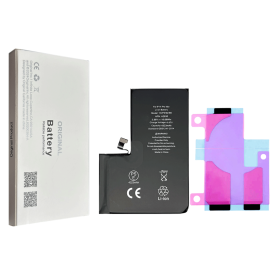
NA295 4823mAh Battery for iPhone 17 Pro Max (Original Pulled) 100% Health – Supports configuration

Use Repair Assistant to Finish an iPhone or iPad Repair

On an iPhone 12 or later running iOS 18, when a new Apple battery is installed,“Finish Repair” will appear next to Battery until you complete the repair using the Repair Assistant.


On an iPhone 12 or later running iOS 18, it is possible to reuse an original Apple battery on another iPhone of the same model.
The date of first use, capacity, and cycle count of your battery can be found in Settings > Battery > Battery Health.


How to Run Diagnostics & Finish Repair for iPhone Battery
1. Ensure your device is updated to iOS 18
2. Go to Settings > General > About > Parts & Service History
3. Tap "Restart & Finish Repair" to activate the Repair Assistant
4. Follow the on-screen instructions to complete the calibration
After completing this process, your battery will display 100% health, and there will be no pop-up warning about non-genuine parts.


Important Notes:

Your iPhone must be connected to Wi-Fi
Your battery level should be above 20%
If the process fails, restart your device and try again
If the repair is not completed, the battery may not function optimally, and some features (Face ID, Touch ID) may be disabled until calibration is finalized
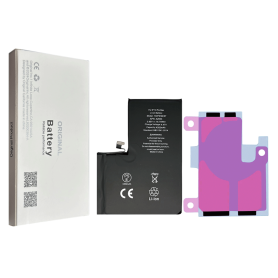
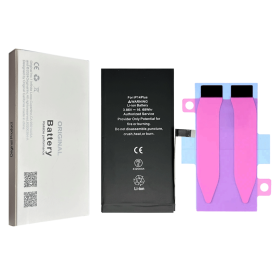
iPhone 17 Pro Battery 0113S 3988mAh (Original Pulled) 100% Health – Supports configuration

Use Repair Assistant to Finish an iPhone or iPad Repair

On an iPhone 12 or later running iOS 18, when a new Apple battery is installed,“Finish Repair” will appear next to Battery until you complete the repair using the Repair Assistant.


On an iPhone 12 or later running iOS 18, it is possible to reuse an original Apple battery on another iPhone of the same model.
The date of first use, capacity, and cycle count of your battery can be found in Settings > Battery > Battery Health.


How to Run Diagnostics & Finish Repair for iPhone Battery
1. Ensure your device is updated to iOS 18
2. Go to Settings > General > About > Parts & Service History
3. Tap "Restart & Finish Repair" to activate the Repair Assistant
4. Follow the on-screen instructions to complete the calibration
After completing this process, your battery will display 100% health, and there will be no pop-up warning about non-genuine parts.


Important Notes:

Your iPhone must be connected to Wi-Fi
Your battery level should be above 20%
If the process fails, restart your device and try again
If the repair is not completed, the battery may not function optimally, and some features (Face ID, Touch ID) may be disabled until calibration is finalized
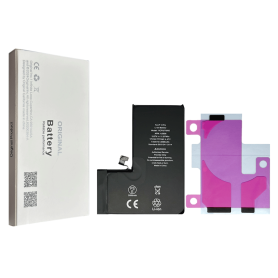

iPhone 17 Air Battery 108CS 3149mAh (Original Pulled) 100% Health – Supports configuration

Use Repair Assistant to Finish an iPhone or iPad Repair

On an iPhone 12 or later running iOS 18, when a new Apple battery is installed,“Finish Repair” will appear next to Battery until you complete the repair using the Repair Assistant.


On an iPhone 12 or later running iOS 18, it is possible to reuse an original Apple battery on another iPhone of the same model.
The date of first use, capacity, and cycle count of your battery can be found in Settings > Battery > Battery Health.


How to Run Diagnostics & Finish Repair for iPhone Battery
1. Ensure your device is updated to iOS 18
2. Go to Settings > General > About > Parts & Service History
3. Tap "Restart & Finish Repair" to activate the Repair Assistant
4. Follow the on-screen instructions to complete the calibration
After completing this process, your battery will display 100% health, and there will be no pop-up warning about non-genuine parts.


Important Notes:

Your iPhone must be connected to Wi-Fi
Your battery level should be above 20%
If the process fails, restart your device and try again
If the repair is not completed, the battery may not function optimally, and some features (Face ID, Touch ID) may be disabled until calibration is finalized
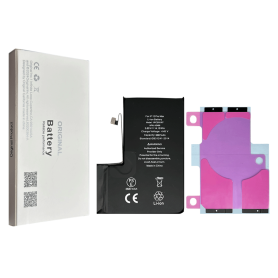

iPhone 17 Battery 111CS 3692mAh (Original Removed) 100% Health – Supports configuration

Use Repair Assistant to Finish an iPhone or iPad Repair

On an iPhone 12 or later running iOS 18, when a new Apple battery is installed,“Finish Repair” will appear next to Battery until you complete the repair using the Repair Assistant.


On an iPhone 12 or later running iOS 18, it is possible to reuse an original Apple battery on another iPhone of the same model.
The date of first use, capacity, and cycle count of your battery can be found in Settings > Battery > Battery Health.


How to Run Diagnostics & Finish Repair for iPhone Battery
1. Ensure your device is updated to iOS 18
2. Go to Settings > General > About > Parts & Service History
3. Tap "Restart & Finish Repair" to activate the Repair Assistant
4. Follow the on-screen instructions to complete the calibration
After completing this process, your battery will display 100% health, and there will be no pop-up warning about non-genuine parts.


Important Notes:

Your iPhone must be connected to Wi-Fi
Your battery level should be above 20%
If the process fails, restart your device and try again
If the repair is not completed, the battery may not function optimally, and some features (Face ID, Touch ID) may be disabled until calibration is finalized
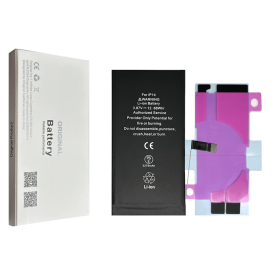

iPhone 16 Pro Max Battery S2218 4685mAh (Original Pulled) 100% Health - Supports configuration

Use Repair Assistant to Finish an iPhone or iPad Repair

On an iPhone 12 or later running iOS 18, when a new Apple battery is installed,“Finish Repair” will appear next to Battery until you complete the repair using the Repair Assistant.


On an iPhone 12 or later running iOS 18, it is possible to reuse an original Apple battery on another iPhone of the same model.
The date of first use, capacity, and cycle count of your battery can be found in Settings > Battery > Battery Health.


How to Run Diagnostics & Finish Repair for iPhone Battery
1. Ensure your device is updated to iOS 18
2. Go to Settings > General > About > Parts & Service History
3. Tap "Restart & Finish Repair" to activate the Repair Assistant
4. Follow the on-screen instructions to complete the calibration
After completing this process, your battery will display 100% health, and there will be no pop-up warning about non-genuine parts.


Important Notes:

Your iPhone must be connected to Wi-Fi
Your battery level should be above 20%
If the process fails, restart your device and try again
If the repair is not completed, the battery may not function optimally, and some features (Face ID, Touch ID) may be disabled until calibration is finalized
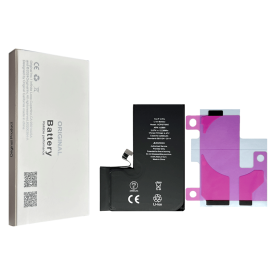

iPhone 16 Plus Battery 106ES 4674mAh (Original Pulled) 100% Health – Supports configuration

Use Repair Assistant to Finish an iPhone or iPad Repair

On an iPhone 12 or later running iOS 18, when a new Apple battery is installed,“Finish Repair” will appear next to Battery until you complete the repair using the Repair Assistant.


On an iPhone 12 or later running iOS 18, it is possible to reuse an original Apple battery on another iPhone of the same model.
The date of first use, capacity, and cycle count of your battery can be found in Settings > Battery > Battery Health.


How to Run Diagnostics & Finish Repair for iPhone Battery
1. Ensure your device is updated to iOS 18
2. Go to Settings > General > About > Parts & Service History
3. Tap "Restart & Finish Repair" to activate the Repair Assistant
4. Follow the on-screen instructions to complete the calibration
After completing this process, your battery will display 100% health, and there will be no pop-up warning about non-genuine parts.


Important Notes:

Your iPhone must be connected to Wi-Fi
Your battery level should be above 20%
If the process fails, restart your device and try again
If the repair is not completed, the battery may not function optimally, and some features (Face ID, Touch ID) may be disabled until calibration is finalized
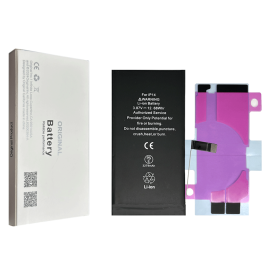

Battery NA264/PSJQ1 3561mAh iPhone 16 (Original Refurbished) Health 100% - Support Setup

Use Repair Assistant to Finish an iPhone or iPad Repair

On an iPhone 12 or later running iOS 18, when a new Apple battery is installed,“Finish Repair” will appear next to Battery until you complete the repair using the Repair Assistant.


On an iPhone 12 or later running iOS 18, it is possible to reuse an original Apple battery on another iPhone of the same model.
The date of first use, capacity, and cycle count of your battery can be found in Settings > Battery > Battery Health.


How to Run Diagnostics & Finish Repair for iPhone Battery
1. Ensure your device is updated to iOS 18
2. Go to Settings > General > About > Parts & Service History
3. Tap "Restart & Finish Repair" to activate the Repair Assistant
4. Follow the on-screen instructions to complete the calibration
After completing this process, your battery will display 100% health, and there will be no pop-up warning about non-genuine parts.


Important Notes:

Your iPhone must be connected to Wi-Fi
Your battery level should be above 20%
If the process fails, restart your device and try again
If the repair is not completed, the battery may not function optimally, and some features (Face ID, Touch ID) may be disabled until calibration is finalized
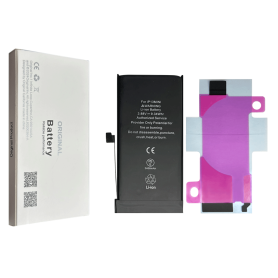

Battery A2830 4323mAh iPhone 14 Pro Max (OEM) Diagnostic Show Genuine

Use Repair Assistant to Finish an iPhone or iPad Repair

This Battery Without Logo

On an iPhone 12 or later running iOS 18, when a new Apple battery is installed,“Finish Repair” will appear next to Battery until you complete the repair using the Repair Assistant.


On an iPhone 12 or later running iOS 18, it is possible to reuse an original Apple battery on another iPhone of the same model.
The date of first use, capacity, and cycle count of your battery can be found in Settings > Battery > Battery Health.


How to Run Diagnostics & Finish Repair for iPhone Battery
1. Ensure your device is updated to iOS 18
2. Go to Settings > General > About > Parts & Service History
3. Tap "Restart & Finish Repair" to activate the Repair Assistant
4. Follow the on-screen instructions to complete the calibration
After completing this process, your battery will display 100% health, and there will be no pop-up warning about non-genuine parts.


Important Notes:

Your iPhone must be connected to Wi-Fi
Your battery level should be above 20%
If the process fails, restart your device and try again
If the repair is not completed, the battery may not function optimally, and some features (Face ID, Touch ID) may be disabled until calibration is finalized
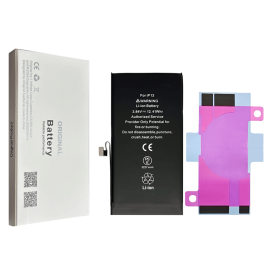

Battery A2866 3200mAh iPhone 14 Pro (OEM) Diagnostic Show Genuine

Use Repair Assistant to Finish an iPhone or iPad Repair

This Battery Without Logo

On an iPhone 12 or later running iOS 18, when a new Apple battery is installed,“Finish Repair” will appear next to Battery until you complete the repair using the Repair Assistant.


On an iPhone 12 or later running iOS 18, it is possible to reuse an original Apple battery on another iPhone of the same model.
The date of first use, capacity, and cycle count of your battery can be found in Settings > Battery > Battery Health.


How to Run Diagnostics & Finish Repair for iPhone Battery
1. Ensure your device is updated to iOS 18
2. Go to Settings > General > About > Parts & Service History
3. Tap "Restart & Finish Repair" to activate the Repair Assistant
4. Follow the on-screen instructions to complete the calibration
After completing this process, your battery will display 100% health, and there will be no pop-up warning about non-genuine parts.


Important Notes:

Your iPhone must be connected to Wi-Fi
Your battery level should be above 20%
If the process fails, restart your device and try again
If the repair is not completed, the battery may not function optimally, and some features (Face ID, Touch ID) may be disabled until calibration is finalized
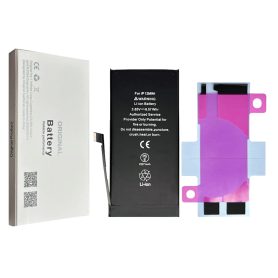

PSKE2 4005mAh Battery for iPhone 16E (Original Pulled Part) 100% Health – Supports configuration

Use Repair Assistant to Finish an iPhone or iPad Repair

On an iPhone 12 or later running iOS 18, when a new Apple battery is installed,“Finish Repair” will appear next to Battery until you complete the repair using the Repair Assistant.


On an iPhone 12 or later running iOS 18, it is possible to reuse an original Apple battery on another iPhone of the same model.
The date of first use, capacity, and cycle count of your battery can be found in Settings > Battery > Battery Health.


How to Run Diagnostics & Finish Repair for iPhone Battery
1. Ensure your device is updated to iOS 18
2. Go to Settings > General > About > Parts & Service History
3. Tap "Restart & Finish Repair" to activate the Repair Assistant
4. Follow the on-screen instructions to complete the calibration
After completing this process, your battery will display 100% health, and there will be no pop-up warning about non-genuine parts.


Important Notes:

Your iPhone must be connected to Wi-Fi
Your battery level should be above 20%
If the process fails, restart your device and try again
If the repair is not completed, the battery may not function optimally, and some features (Face ID, Touch ID) may be disabled until calibration is finalized
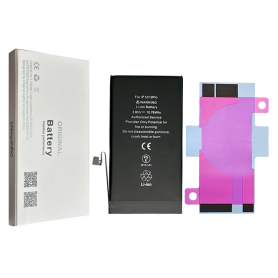

Battery A2660 2406mAh iPhone 13 mini (OEM) Diagnostic Show Genuine

Use Repair Assistant to Finish an iPhone or iPad Repair

This Battery Without Logo

On an iPhone 12 or later running iOS 18, when a new Apple battery is installed,“Finish Repair” will appear next to Battery until you complete the repair using the Repair Assistant.


On an iPhone 12 or later running iOS 18, it is possible to reuse an original Apple battery on another iPhone of the same model.
The date of first use, capacity, and cycle count of your battery can be found in Settings > Battery > Battery Health.


How to Run Diagnostics & Finish Repair for iPhone Battery
1. Ensure your device is updated to iOS 18
2. Go to Settings > General > About > Parts & Service History
3. Tap "Restart & Finish Repair" to activate the Repair Assistant
4. Follow the on-screen instructions to complete the calibration
After completing this process, your battery will display 100% health, and there will be no pop-up warning about non-genuine parts.


Important Notes:

Your iPhone must be connected to Wi-Fi
Your battery level should be above 20%
If the process fails, restart your device and try again
If the repair is not completed, the battery may not function optimally, and some features (Face ID, Touch ID) may be disabled until calibration is finalized
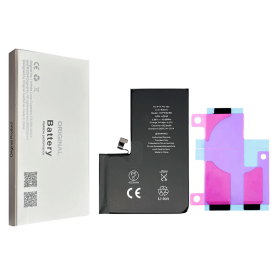

Battery A2466 3687mAh iPhone 12 Pro Max (OEM) Direct Installation - No Pop-up / Health 100%

Use Repair Assistant to Finish an iPhone or iPad Repair

This Battery Without Logo

On an iPhone 12 or later running iOS 18, when a new Apple battery is installed,“Finish Repair” will appear next to Battery until you complete the repair using the Repair Assistant.


On an iPhone 12 or later running iOS 18, it is possible to reuse an original Apple battery on another iPhone of the same model.
The date of first use, capacity, and cycle count of your battery can be found in Settings > Battery > Battery Health.


How to Run Diagnostics & Finish Repair for iPhone Battery
1. Ensure your device is updated to iOS 18
2. Go to Settings > General > About > Parts & Service History
3. Tap "Restart & Finish Repair" to activate the Repair Assistant
4. Follow the on-screen instructions to complete the calibration
After completing this process, your battery will display 100% health, and there will be no pop-up warning about non-genuine parts.


Important Notes:

Your iPhone must be connected to Wi-Fi
Your battery level should be above 20%
If the process fails, restart your device and try again
If the repair is not completed, the battery may not function optimally, and some features (Face ID, Touch ID) may be disabled until calibration is finalized

Out-of-Stock
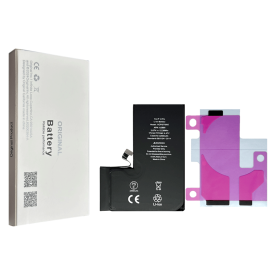
iPhone 17E 4005mAh Battery (Original Pulled Part) 100% Health – Supports configuration

Use Repair Assistant to Finish an iPhone or iPad Repair

This Battery Without Logo

On an iPhone 12 or later running iOS 18, when a new Apple battery is installed,“Finish Repair” will appear next to Battery until you complete the repair using the Repair Assistant.


On an iPhone 12 or later running iOS 18, it is possible to reuse an original Apple battery on another iPhone of the same model.
The date of first use, capacity, and cycle count of your battery can be found in Settings > Battery > Battery Health.


How to Run Diagnostics & Finish Repair for iPhone Battery
1. Ensure your device is updated to iOS 18
2. Go to Settings > General > About > Parts & Service History
3. Tap "Restart & Finish Repair" to activate the Repair Assistant
4. Follow the on-screen instructions to complete the calibration
After completing this process, your battery will display 100% health, and there will be no pop-up warning about non-genuine parts.


Important Notes:

Your iPhone must be connected to Wi-Fi
Your battery level should be above 20%
If the process fails, restart your device and try again
If the repair is not completed, the battery may not function optimally, and some features (Face ID, Touch ID) may be disabled until calibration is finalized

Out-of-Stock
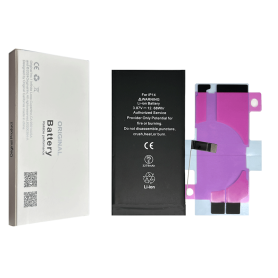
iPhone 16 Pro Battery 2203B 3582mAh (Original Pulled) 100% Health – Supports configuration

Use Repair Assistant to Finish an iPhone or iPad Repair

On an iPhone 12 or later running iOS 18, when a new Apple battery is installed,“Finish Repair” will appear next to Battery until you complete the repair using the Repair Assistant.


On an iPhone 12 or later running iOS 18, it is possible to reuse an original Apple battery on another iPhone of the same model.
The date of first use, capacity, and cycle count of your battery can be found in Settings > Battery > Battery Health.


How to Run Diagnostics & Finish Repair for iPhone Battery
1. Ensure your device is updated to iOS 18
2. Go to Settings > General > About > Parts & Service History
3. Tap "Restart & Finish Repair" to activate the Repair Assistant
4. Follow the on-screen instructions to complete the calibration
After completing this process, your battery will display 100% health, and there will be no pop-up warning about non-genuine parts.


Important Notes:

Your iPhone must be connected to Wi-Fi
Your battery level should be above 20%
If the process fails, restart your device and try again
If the repair is not completed, the battery may not function optimally, and some features (Face ID, Touch ID) may be disabled until calibration is finalized


Out-of-Stock
Battery A3121 4422mAh iPhone 15 Pro Max (OEM) Diagnostic Show Genuine

Use Repair Assistant to Finish an iPhone or iPad Repair

This Battery Without Logo

On an iPhone 12 or later running iOS 18, when a new Apple battery is installed,“Finish Repair” will appear next to Battery until you complete the repair using the Repair Assistant.


On an iPhone 12 or later running iOS 18, it is possible to reuse an original Apple battery on another iPhone of the same model.
The date of first use, capacity, and cycle count of your battery can be found in Settings > Battery > Battery Health.


How to Run Diagnostics & Finish Repair for iPhone Battery
1. Ensure your device is updated to iOS 18
2. Go to Settings > General > About > Parts & Service History
3. Tap "Restart & Finish Repair" to activate the Repair Assistant
4. Follow the on-screen instructions to complete the calibration
After completing this process, your battery will display 100% health, and there will be no pop-up warning about non-genuine parts.


Important Notes:

Your iPhone must be connected to Wi-Fi
Your battery level should be above 20%
If the process fails, restart your device and try again
If the repair is not completed, the battery may not function optimally, and some features (Face ID, Touch ID) may be disabled until calibration is finalized


Out-of-Stock
Battery A3011 3274mAh iPhone 15 Pro (OEM) Diagnostic Show Genuine

Use Repair Assistant to Finish an iPhone or iPad Repair

This Battery Without Logo

On an iPhone 12 or later running iOS 18, when a new Apple battery is installed,“Finish Repair” will appear next to Battery until you complete the repair using the Repair Assistant.


On an iPhone 12 or later running iOS 18, it is possible to reuse an original Apple battery on another iPhone of the same model.
The date of first use, capacity, and cycle count of your battery can be found in Settings > Battery > Battery Health.


How to Run Diagnostics & Finish Repair for iPhone Battery
1. Ensure your device is updated to iOS 18
2. Go to Settings > General > About > Parts & Service History
3. Tap "Restart & Finish Repair" to activate the Repair Assistant
4. Follow the on-screen instructions to complete the calibration
After completing this process, your battery will display 100% health, and there will be no pop-up warning about non-genuine parts.


Important Notes:

Your iPhone must be connected to Wi-Fi
Your battery level should be above 20%
If the process fails, restart your device and try again
If the repair is not completed, the battery may not function optimally, and some features (Face ID, Touch ID) may be disabled until calibration is finalized


Out-of-Stock
Battery A3018 3349mAh iPhone 15 Plus (OEM) Diagnostic Show Genuine

Use Repair Assistant to Finish an iPhone or iPad Repair

This Battery Without Logo

On an iPhone 12 or later running iOS 18, when a new Apple battery is installed,“Finish Repair” will appear next to Battery until you complete the repair using the Repair Assistant.


On an iPhone 12 or later running iOS 18, it is possible to reuse an original Apple battery on another iPhone of the same model.
The date of first use, capacity, and cycle count of your battery can be found in Settings > Battery > Battery Health.


How to Run Diagnostics & Finish Repair for iPhone Battery
1. Ensure your device is updated to iOS 18
2. Go to Settings > General > About > Parts & Service History
3. Tap "Restart & Finish Repair" to activate the Repair Assistant
4. Follow the on-screen instructions to complete the calibration
After completing this process, your battery will display 100% health, and there will be no pop-up warning about non-genuine parts.


Important Notes:

Your iPhone must be connected to Wi-Fi
Your battery level should be above 20%
If the process fails, restart your device and try again
If the repair is not completed, the battery may not function optimally, and some features (Face ID, Touch ID) may be disabled until calibration is finalized


Out-of-Stock
Battery A2850 4325mAh iPhone 14 Plus (OEM) Diagnostic Show Genuine

Use Repair Assistant to Finish an iPhone or iPad Repair

This Battery Without Logo

On an iPhone 12 or later running iOS 18, when a new Apple battery is installed,“Finish Repair” will appear next to Battery until you complete the repair using the Repair Assistant.


On an iPhone 12 or later running iOS 18, it is possible to reuse an original Apple battery on another iPhone of the same model.
The date of first use, capacity, and cycle count of your battery can be found in Settings > Battery > Battery Health.


How to Run Diagnostics & Finish Repair for iPhone Battery
1. Ensure your device is updated to iOS 18
2. Go to Settings > General > About > Parts & Service History
3. Tap "Restart & Finish Repair" to activate the Repair Assistant
4. Follow the on-screen instructions to complete the calibration
After completing this process, your battery will display 100% health, and there will be no pop-up warning about non-genuine parts.


Important Notes:

Your iPhone must be connected to Wi-Fi
Your battery level should be above 20%
If the process fails, restart your device and try again
If the repair is not completed, the battery may not function optimally, and some features (Face ID, Touch ID) may be disabled until calibration is finalized


Out-of-Stock
Battery A2656 3095mAh iPhone 13 Pro (OEM) Diagnostic Show Genuine

Use Repair Assistant to Finish an iPhone or iPad Repair

This Battery Without Logo

On an iPhone 12 or later running iOS 18, when a new Apple battery is installed,“Finish Repair” will appear next to Battery until you complete the repair using the Repair Assistant.


On an iPhone 12 or later running iOS 18, it is possible to reuse an original Apple battery on another iPhone of the same model.
The date of first use, capacity, and cycle count of your battery can be found in Settings > Battery > Battery Health.


How to Run Diagnostics & Finish Repair for iPhone Battery
1. Ensure your device is updated to iOS 18
2. Go to Settings > General > About > Parts & Service History
3. Tap "Restart & Finish Repair" to activate the Repair Assistant
4. Follow the on-screen instructions to complete the calibration
After completing this process, your battery will display 100% health, and there will be no pop-up warning about non-genuine parts.


Important Notes:

Your iPhone must be connected to Wi-Fi
Your battery level should be above 20%
If the process fails, restart your device and try again
If the repair is not completed, the battery may not function optimally, and some features (Face ID, Touch ID) may be disabled until calibration is finalized


Out-of-Stock
Battery A3018 3349mAh iPhone 15 (OEM) Diagnostic Show Genuine

Use Repair Assistant to Finish an iPhone or iPad Repair

This Battery Without Logo

On an iPhone 12 or later running iOS 18, when a new Apple battery is installed,“Finish Repair” will appear next to Battery until you complete the repair using the Repair Assistant.


On an iPhone 12 or later running iOS 18, it is possible to reuse an original Apple battery on another iPhone of the same model.
The date of first use, capacity, and cycle count of your battery can be found in Settings > Battery > Battery Health.


How to Run Diagnostics & Finish Repair for iPhone Battery
1. Ensure your device is updated to iOS 18
2. Go to Settings > General > About > Parts & Service History
3. Tap "Restart & Finish Repair" to activate the Repair Assistant
4. Follow the on-screen instructions to complete the calibration
After completing this process, your battery will display 100% health, and there will be no pop-up warning about non-genuine parts.


Important Notes:

Your iPhone must be connected to Wi-Fi
Your battery level should be above 20%
If the process fails, restart your device and try again
If the repair is not completed, the battery may not function optimally, and some features (Face ID, Touch ID) may be disabled until calibration is finalized


Out-of-Stock
Battery A2655 3232mAh iPhone 13 (OEM) Diagnostic Show Genuine

Use Repair Assistant to Finish an iPhone or iPad Repair

This Battery Without Logo

On an iPhone 12 or later running iOS 18, when a new Apple battery is installed,“Finish Repair” will appear next to Battery until you complete the repair using the Repair Assistant.


On an iPhone 12 or later running iOS 18, it is possible to reuse an original Apple battery on another iPhone of the same model.
The date of first use, capacity, and cycle count of your battery can be found in Settings > Battery > Battery Health.


How to Run Diagnostics & Finish Repair for iPhone Battery
1. Ensure your device is updated to iOS 18
2. Go to Settings > General > About > Parts & Service History
3. Tap "Restart & Finish Repair" to activate the Repair Assistant
4. Follow the on-screen instructions to complete the calibration
After completing this process, your battery will display 100% health, and there will be no pop-up warning about non-genuine parts.


Important Notes:

Your iPhone must be connected to Wi-Fi
Your battery level should be above 20%
If the process fails, restart your device and try again
If the repair is not completed, the battery may not function optimally, and some features (Face ID, Touch ID) may be disabled until calibration is finalized


Out-of-Stock
Battery A2479 2815mAh iPhone 12 / 12 Pro (OEM) Diagnostic Show Genuine

Use Repair Assistant to Finish an iPhone or iPad Repair

This Battery Without Logo

On an iPhone 12 or later running iOS 18, when a new Apple battery is installed,“Finish Repair” will appear next to Battery until you complete the repair using the Repair Assistant.


On an iPhone 12 or later running iOS 18, it is possible to reuse an original Apple battery on another iPhone of the same model.
The date of first use, capacity, and cycle count of your battery can be found in Settings > Battery > Battery Health.


How to Run Diagnostics & Finish Repair for iPhone Battery
1. Ensure your device is updated to iOS 18
2. Go to Settings > General > About > Parts & Service History
3. Tap "Restart & Finish Repair" to activate the Repair Assistant
4. Follow the on-screen instructions to complete the calibration
After completing this process, your battery will display 100% health, and there will be no pop-up warning about non-genuine parts.


Important Notes:

Your iPhone must be connected to Wi-Fi
Your battery level should be above 20%
If the process fails, restart your device and try again
If the repair is not completed, the battery may not function optimally, and some features (Face ID, Touch ID) may be disabled until calibration is finalized


Out-of-Stock
Battery A2471 2227mAh iPhone 12 mini (OEM) Diagnostic Show Genuine

Use Repair Assistant to Finish an iPhone or iPad Repair

This Battery Without Logo

On an iPhone 12 or later running iOS 18, when a new Apple battery is installed,“Finish Repair” will appear next to Battery until you complete the repair using the Repair Assistant.


On an iPhone 12 or later running iOS 18, it is possible to reuse an original Apple battery on another iPhone of the same model.
The date of first use, capacity, and cycle count of your battery can be found in Settings > Battery > Battery Health.


How to Run Diagnostics & Finish Repair for iPhone Battery
1. Ensure your device is updated to iOS 18
2. Go to Settings > General > About > Parts & Service History
3. Tap "Restart & Finish Repair" to activate the Repair Assistant
4. Follow the on-screen instructions to complete the calibration
After completing this process, your battery will display 100% health, and there will be no pop-up warning about non-genuine parts.


Important Notes:

Your iPhone must be connected to Wi-Fi
Your battery level should be above 20%
If the process fails, restart your device and try again
If the repair is not completed, the battery may not function optimally, and some features (Face ID, Touch ID) may be disabled until calibration is finalized


Out-of-Stock
Battery A2653 4352mAh iPhone 13 Pro Max (OEM) Diagnostic Show Genuine

Use Repair Assistant to Finish an iPhone or iPad Repair

This Battery Without Logo

On an iPhone 12 or later running iOS 18, when a new Apple battery is installed,“Finish Repair” will appear next to Battery until you complete the repair using the Repair Assistant.


On an iPhone 12 or later running iOS 18, it is possible to reuse an original Apple battery on another iPhone of the same model.
The date of first use, capacity, and cycle count of your battery can be found in Settings > Battery > Battery Health.


How to Run Diagnostics & Finish Repair for iPhone Battery
1. Ensure your device is updated to iOS 18
2. Go to Settings > General > About > Parts & Service History
3. Tap "Restart & Finish Repair" to activate the Repair Assistant
4. Follow the on-screen instructions to complete the calibration
After completing this process, your battery will display 100% health, and there will be no pop-up warning about non-genuine parts.


Important Notes:

Your iPhone must be connected to Wi-Fi
Your battery level should be above 20%
If the process fails, restart your device and try again
If the repair is not completed, the battery may not function optimally, and some features (Face ID, Touch ID) may be disabled until calibration is finalized


Out-of-Stock
Battery A2863 3279mAh iPhone 14 (OEM) Diagnostic Show Genuine

Use Repair Assistant to Finish an iPhone or iPad Repair

This Battery Without Logo

On an iPhone 12 or later running iOS 18, when a new Apple battery is installed,“Finish Repair” will appear next to Battery until you complete the repair using the Repair Assistant.


On an iPhone 12 or later running iOS 18, it is possible to reuse an original Apple battery on another iPhone of the same model.
The date of first use, capacity, and cycle count of your battery can be found in Settings > Battery > Battery Health.


How to Run Diagnostics & Finish Repair for iPhone Battery
1. Ensure your device is updated to iOS 18
2. Go to Settings > General > About > Parts & Service History
3. Tap "Restart & Finish Repair" to activate the Repair Assistant
4. Follow the on-screen instructions to complete the calibration
After completing this process, your battery will display 100% health, and there will be no pop-up warning about non-genuine parts.


Important Notes:

Your iPhone must be connected to Wi-Fi
Your battery level should be above 20%
If the process fails, restart your device and try again
If the repair is not completed, the battery may not function optimally, and some features (Face ID, Touch ID) may be disabled until calibration is finalized