Best sellers

Out-of-Stock
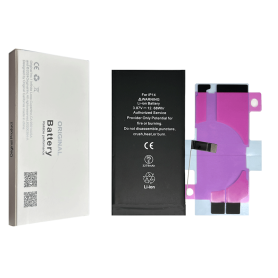
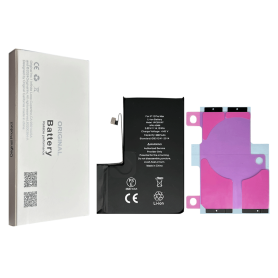
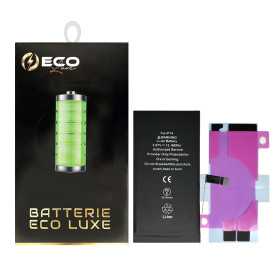
Battery A2863 3279mAh iPhone 14 (OEM) Diagnostic Show Genuine

Use Repair Assistant to Finish an iPhone or iPad Repair

This Battery Without Logo

On an iPhone 12 or later running iOS 18, when a new Apple battery is installed,“Finish Repair” will appear next to Battery until you complete the repair using the Repair Assistant.


On an iPhone 12 or later running iOS 18, it is possible to reuse an original Apple battery on another iPhone of the same model.
The date of first use, capacity, and cycle count of your battery can be found in Settings > Battery > Battery Health.


How to Run Diagnostics & Finish Repair for iPhone Battery
1. Ensure your device is updated to iOS 18
2. Go to Settings > General > About > Parts & Service History
3. Tap "Restart & Finish Repair" to activate the Repair Assistant
4. Follow the on-screen instructions to complete the calibration
After completing this process, your battery will display 100% health, and there will be no pop-up warning about non-genuine parts.


Important Notes:

Your iPhone must be connected to Wi-Fi
Your battery level should be above 20%
If the process fails, restart your device and try again
If the repair is not completed, the battery may not function optimally, and some features (Face ID, Touch ID) may be disabled until calibration is finalized


Out-of-Stock
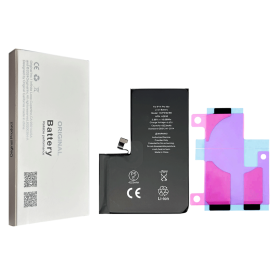
Battery A2466 3687mAh iPhone 12 Pro Max (ECO Fix) Direct Installation - No Pop-up / Health 100%

Use Repair Assistant to Finish an iPhone or iPad Repair

This Battery Without Logo

On an iPhone 12 or later running iOS 18, when a new Apple battery is installed,“Finish Repair” will appear next to Battery until you complete the repair using the Repair Assistant.


On an iPhone 12 or later running iOS 18, it is possible to reuse an original Apple battery on another iPhone of the same model.
The date of first use, capacity, and cycle count of your battery can be found in Settings > Battery > Battery Health.


How to Run Diagnostics & Finish Repair for iPhone Battery
1. Ensure your device is updated to iOS 18
2. Go to Settings > General > About > Parts & Service History
3. Tap "Restart & Finish Repair" to activate the Repair Assistant
4. Follow the on-screen instructions to complete the calibration
After completing this process, your battery will display 100% health, and there will be no pop-up warning about non-genuine parts.


Important Notes:

Your iPhone must be connected to Wi-Fi
Your battery level should be above 20%
If the process fails, restart your device and try again
If the repair is not completed, the battery may not function optimally, and some features (Face ID, Touch ID) may be disabled until calibration is finalized


Out-of-Stock
AC Adapter Type-C PD 20W EGA H5008x - White
Key Features of AC Adapter Type-C PD 20W EGA H5008x - White:


Fast Charging Capability: Equipped with Power Delivery (PD) technology, the adapter provides efficient fast charging up to 20W, making it ideal for smartphones, tablets, and other Type-C compatible devices.


Compact and Portable Design: Its sleek and lightweight structure makes it a perfect travel companion, allowing for easy storage and portability without compromising on power.


Universal Compatibility: With a Type-C interface, it supports a wide range of devices beyond phones and tablets, including some laptops, portable gaming systems, and earbuds.


Enhanced Safety Features: Built-in safety mechanisms, including over-voltage protection, over-current protection, and short-circuit protection, ensure safe and reliable charging for your devices.


High-Quality Construction: Designed with premium materials to ensure durability and long-term use, the adapter withstands everyday wear and tear.


Energy Efficient: Meets international energy standards, ensuring minimal energy wastage and lowering carbon footprint, making it an eco-friendly choice.


Easy to Use: Simply plug and play with no complicated setup required, ensuring hassle-free use for both tech enthusiasts and everyday users.


Elevate your charging experience with the reliable and efficient AC Adapter Type-C PD 20W EGA H5008x, combining speed, safety, and convenience in one compact device.
Out-of-Stock
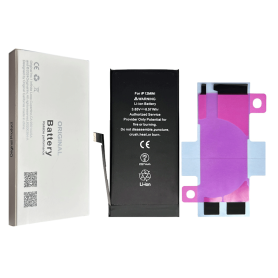
Battery A2479 3350mAh iPhone 12 / 12 Pro (ECO Fix Plus) 130% Plus Durable - No Pop-up / 100% Condition

Use Repair Assistant to Finish an iPhone or iPad Repair

This Battery Without Logo

On an iPhone 12 or later running iOS 18, when a new Apple battery is installed,“Finish Repair” will appear next to Battery until you complete the repair using the Repair Assistant.


On an iPhone 12 or later running iOS 18, it is possible to reuse an original Apple battery on another iPhone of the same model.
The date of first use, capacity, and cycle count of your battery can be found in Settings > Battery > Battery Health.


How to Run Diagnostics & Finish Repair for iPhone Battery
1. Ensure your device is updated to iOS 18
2. Go to Settings > General > About > Parts & Service History
3. Tap "Restart & Finish Repair" to activate the Repair Assistant
4. Follow the on-screen instructions to complete the calibration
After completing this process, your battery will display 100% health, and there will be no pop-up warning about non-genuine parts.


Important Notes:

Your iPhone must be connected to Wi-Fi
Your battery level should be above 20%
If the process fails, restart your device and try again
If the repair is not completed, the battery may not function optimally, and some features (Face ID, Touch ID) may be disabled until calibration is finalized


Out-of-Stock
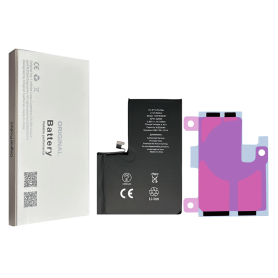
Battery A2655 3530mAh iPhone 13 (ECO Fix Plus) 130% Plus Durable - No Pop-up / Health 100%

Use Repair Assistant to Finish an iPhone or iPad Repair

This Battery Without Logo

On an iPhone 12 or later running iOS 18, when a new Apple battery is installed,“Finish Repair” will appear next to Battery until you complete the repair using the Repair Assistant.


On an iPhone 12 or later running iOS 18, it is possible to reuse an original Apple battery on another iPhone of the same model.
The date of first use, capacity, and cycle count of your battery can be found in Settings > Battery > Battery Health.


How to Run Diagnostics & Finish Repair for iPhone Battery
1. Ensure your device is updated to iOS 18
2. Go to Settings > General > About > Parts & Service History
3. Tap "Restart & Finish Repair" to activate the Repair Assistant
4. Follow the on-screen instructions to complete the calibration
After completing this process, your battery will display 100% health, and there will be no pop-up warning about non-genuine parts.


Important Notes:

Your iPhone must be connected to Wi-Fi
Your battery level should be above 20%
If the process fails, restart your device and try again
If the repair is not completed, the battery may not function optimally, and some features (Face ID, Touch ID) may be disabled until calibration is finalized


Out-of-Stock
5W USB Power Adapter MGN13ZM/A - Retail Box (Apple)
This compact power adapter offers a fast and efficient charging solution, at the office, at home, or on the go. It works with all Apple Watch, iPhone, and iPod models. Important note: This power adapter has fixed EU prongs designed for use in continental Europe, India, some Middle Eastern countries, and some Latin American countries.
Out-of-Stock
Photo Paper FUJIFILM Instax Wide – Instant Film, Pack of 10 Photos
Key Features of FUJIFILM Instax Wide Instant Film – Pack of 10 Photos


Wide Format: Specially designed for use with instax Wide cameras, this film offers a larger photo size, measuring 86mm x 108mm, providing ample space to capture wider, more detailed images.


Vibrant Colors: Delivers rich and vibrant color reproduction with natural skin tones and superb clarity, ensuring your memories come to life with every shot.


Instant Development: Enjoy the convenience of instant photography. Images develop in approximately 90 seconds, allowing you to share memories in the moment.


High-Quality Glossy Finish: Features a glossy surface that enhances colors and adds a professional touch to your photos, making them perfect for keepsakes and sharing.


Easy to Load: Designed for user-friendly loading in all instax Wide cameras, making it simple and hassle-free to insert and start shooting.


Sharp and Clear Images: Featuring high-speed ISO 800 technology, this film ensures consistent, clear shots even in low-light conditions.


Versatile Use: Ideal for capturing a variety of scenes, from group shots and landscapes to close-ups and creative compositions, offering flexibility for all photography enthusiasts.


Long-Lasting Prints: The film is designed to be durable, with prints that resist fading over time, ensuring your cherished memories are preserved for years.


Compact Packaging: This pack of 10 ensures convenient storage and portability, perfect for travel or on-the-go adventures.


Great for Gifting: The instant joy of tangible photos makes it a unique and thoughtful gift for family and friends who love photography.


Bring your photos to life with FUJIFILM Instax Wide Instant Film, and capture the moments that matter with vivid detail and effortless style.
Out-of-Stock
Screen iPhone XS (OLED) GX
iPhone Xs (OLED) GX Screen- Color: black. - Model: iPhone Xs. - Quality: SAME AS ORIGINAL - Retina HD Screen - Size: 5.85" - Resolution: 1125 x 2436 pixels EAN: 8011655905024 WARRANTY INFO: Please note that this screen is an X Oled Hard type screen, meaning it is rigid and less malleable during installation. You must absolutely be careful not to handle it too roughly or drop it, as you risk damaging it irreversibly. If you are not an expert, we recommend you turn to the X Oled Soft version or refurbished X. Please remember that if the screen does not turn on, the part will be excluded from our warranty program.
Out-of-Stock
Battery A2466 3687mAh iPhone 12 Pro Max (OEM) Direct Installation - No Pop-up / Health 100%

Use Repair Assistant to Finish an iPhone or iPad Repair

This Battery Without Logo

On an iPhone 12 or later running iOS 18, when a new Apple battery is installed,“Finish Repair” will appear next to Battery until you complete the repair using the Repair Assistant.


On an iPhone 12 or later running iOS 18, it is possible to reuse an original Apple battery on another iPhone of the same model.
The date of first use, capacity, and cycle count of your battery can be found in Settings > Battery > Battery Health.


How to Run Diagnostics & Finish Repair for iPhone Battery
1. Ensure your device is updated to iOS 18
2. Go to Settings > General > About > Parts & Service History
3. Tap "Restart & Finish Repair" to activate the Repair Assistant
4. Follow the on-screen instructions to complete the calibration
After completing this process, your battery will display 100% health, and there will be no pop-up warning about non-genuine parts.


Important Notes:

Your iPhone must be connected to Wi-Fi
Your battery level should be above 20%
If the process fails, restart your device and try again
If the repair is not completed, the battery may not function optimally, and some features (Face ID, Touch ID) may be disabled until calibration is finalized


Out-of-Stock
Battery A2830 4323mAh iPhone 14 Pro Max (OEM) Diagnostic Show Genuine

Use Repair Assistant to Finish an iPhone or iPad Repair

This Battery Without Logo

On an iPhone 12 or later running iOS 18, when a new Apple battery is installed,“Finish Repair” will appear next to Battery until you complete the repair using the Repair Assistant.


On an iPhone 12 or later running iOS 18, it is possible to reuse an original Apple battery on another iPhone of the same model.
The date of first use, capacity, and cycle count of your battery can be found in Settings > Battery > Battery Health.


How to Run Diagnostics & Finish Repair for iPhone Battery
1. Ensure your device is updated to iOS 18
2. Go to Settings > General > About > Parts & Service History
3. Tap "Restart & Finish Repair" to activate the Repair Assistant
4. Follow the on-screen instructions to complete the calibration
After completing this process, your battery will display 100% health, and there will be no pop-up warning about non-genuine parts.


Important Notes:

Your iPhone must be connected to Wi-Fi
Your battery level should be above 20%
If the process fails, restart your device and try again
If the repair is not completed, the battery may not function optimally, and some features (Face ID, Touch ID) may be disabled until calibration is finalized


Out-of-Stock
Battery A2471 2227mAh iPhone 12 mini (OEM) Diagnostic Show Genuine

Use Repair Assistant to Finish an iPhone or iPad Repair

This Battery Without Logo

On an iPhone 12 or later running iOS 18, when a new Apple battery is installed,“Finish Repair” will appear next to Battery until you complete the repair using the Repair Assistant.


On an iPhone 12 or later running iOS 18, it is possible to reuse an original Apple battery on another iPhone of the same model.
The date of first use, capacity, and cycle count of your battery can be found in Settings > Battery > Battery Health.


How to Run Diagnostics & Finish Repair for iPhone Battery
1. Ensure your device is updated to iOS 18
2. Go to Settings > General > About > Parts & Service History
3. Tap "Restart & Finish Repair" to activate the Repair Assistant
4. Follow the on-screen instructions to complete the calibration
After completing this process, your battery will display 100% health, and there will be no pop-up warning about non-genuine parts.


Important Notes:

Your iPhone must be connected to Wi-Fi
Your battery level should be above 20%
If the process fails, restart your device and try again
If the repair is not completed, the battery may not function optimally, and some features (Face ID, Touch ID) may be disabled until calibration is finalized


Out-of-Stock
Battery A2653 4352mAh iPhone 13 Pro Max (OEM) Diagnostic Show Genuine

Use Repair Assistant to Finish an iPhone or iPad Repair

This Battery Without Logo

On an iPhone 12 or later running iOS 18, when a new Apple battery is installed,“Finish Repair” will appear next to Battery until you complete the repair using the Repair Assistant.


On an iPhone 12 or later running iOS 18, it is possible to reuse an original Apple battery on another iPhone of the same model.
The date of first use, capacity, and cycle count of your battery can be found in Settings > Battery > Battery Health.


How to Run Diagnostics & Finish Repair for iPhone Battery
1. Ensure your device is updated to iOS 18
2. Go to Settings > General > About > Parts & Service History
3. Tap "Restart & Finish Repair" to activate the Repair Assistant
4. Follow the on-screen instructions to complete the calibration
After completing this process, your battery will display 100% health, and there will be no pop-up warning about non-genuine parts.


Important Notes:

Your iPhone must be connected to Wi-Fi
Your battery level should be above 20%
If the process fails, restart your device and try again
If the repair is not completed, the battery may not function optimally, and some features (Face ID, Touch ID) may be disabled until calibration is finalized


Out-of-Stock
Screen iPhone 15 Plus (LTPS) JK - Support IC Change - FHD1080p
Advantages LTPS TFT OLED Pixel resolution FHD1080p Same as original HD 720p Same as original Power consumption 10% power savings compared to TFT quality Normal power consumption 20% power savings compared to TFT quality. Response time Fast response Normal response Response same as original Image quality High image quality with vivid colors. Normal display More vivid colors, perfect blacks. Cost Excellent quality and cost. Best cost Steadily decreasing production cost. After-sales feedback After-sales service rate 0.1% After-sales service rate 0.3% After-sales service rate 0.2% Phone thickness with screen (7.65 mm original) 7.75 mm 7.80 mm 7.65 mm
Out-of-Stock
Screen iPhone XS (in-cell) RJ - COF - FHD1080p
Caution, this is not OLED, (In-cell) screens are revolutionary in that they combine a digitizer, use a touch input, and integrate an LCD screen into a single-layer screen. Some reports also suggest that screens with (In-cell) technology offer better resolution than standard LCD screens
Out-of-Stock
Battery A3121 4422mAh iPhone 15 Pro Max (ECO Fix) Direct Installation - No Pop-up / Health 100%

Use Repair Assistant to Finish an iPhone or iPad Repair

This Battery Without Logo

On an iPhone 12 or later running iOS 18, when a new Apple battery is installed,“Finish Repair” will appear next to Battery until you complete the repair using the Repair Assistant.


On an iPhone 12 or later running iOS 18, it is possible to reuse an original Apple battery on another iPhone of the same model.
The date of first use, capacity, and cycle count of your battery can be found in Settings > Battery > Battery Health.


How to Run Diagnostics & Finish Repair for iPhone Battery
1. Ensure your device is updated to iOS 18
2. Go to Settings > General > About > Parts & Service History
3. Tap "Restart & Finish Repair" to activate the Repair Assistant
4. Follow the on-screen instructions to complete the calibration
After completing this process, your battery will display 100% health, and there will be no pop-up warning about non-genuine parts.


Important Notes:

Your iPhone must be connected to Wi-Fi
Your battery level should be above 20%
If the process fails, restart your device and try again
If the repair is not completed, the battery may not function optimally, and some features (Face ID, Touch ID) may be disabled until calibration is finalized


Out-of-Stock
Screen iPhone XR (in-cell) GX
The displays (In-cell) are revolutionary in that they combine a digitizer, use touch input, and integrate an LCD display into a single-layer display. Some reports also suggest that displays with (In-cell) technology offer better resolution compared to standard LCD displays
Out-of-Stock
Screen Oppo A72 / A52 / A92 Black (OEM)
An OEM, for Original Equipment Manufacturer, generally refers to a company responsible for manufacturing spare parts for another entity (mobile phone manufacturer). In French, the acronym is translated as FEO, for Fabricant d'Equipement d'Origine. The quality is the same as the original.
Out-of-Stock
Screen Samsung Galaxy J6 2018 (J600F) / A6 2018 (A600) Black (Service Pack) - GH97-21931A/22048A (Rnw)
La garantie pour cette qualité s`applique uniquement avant l`installation (avant d`appliquer la colle)

Samsung Galaxy J6 2018 (J600F) / A6 2018 (A600) Black Screen Without Frame (Service Pack). MPN: GH97-21897A/21898A. This is a replacement screen for the Samsung Galaxy J6 and A6 2018 models. Ideal for those who have a broken or cracked screen and want to replace it themselves. The service pack does not include a frame, allowing you to reuse your old one.
Out-of-Stock
USB Cable / Magnetic Charging for Apple Watch (Mayline)
USB Cable with Magnetic Charging for Apple Watch - Mayline

Keep your Apple Watch always ready with this Mayline magnetic USB charging cable. Designed specifically for fast and secure charging, it connects easily thanks to its magnetic alignment system, which automatically positions the Apple Watch for optimal charging. Compatible with all Apple Watch models, this cable is the perfect accessory for effortless charging, whether at home, in the office or on the go.

Main features:


Secure magnetic charging: automatic alignment for fast and stable charging of your Apple Watch.
Universal compatibility: works with all Apple Watch models.
Compact and portable design: ideal for everyday use and travel.
USB connection: easy to use with USB chargers, laptops, or other adapters.

With the Mayline magnetic charging USB cable for Apple Watch, enjoy efficient and hassle-free charging to accompany your smartwatch everywhere.